
Onboarding
Applications
- Blender 5.0.x https://download.blender.org/release/Blender5.0/
- Godot 4.6.x https://godotengine.org/download/archive/4.6.1-stable/
- Git (latest) https://git-scm.com/install/
- (Optional) SourceGit (latest) https://github.com/sourcegit-scm/sourcegit/releases/latest
- PureRef (latest) https://www.pureref.com/download.php
Setup
Project
- Clone the art and game repository. See https://docs.bugjam.dev/books/bugjam/page/tutorials for more information.
- Checkout the
devbranch in the art repository.
Blender
- Pull down the latest updates from the
mainordevbranch in the art repository. - Update the extension repository to point to the
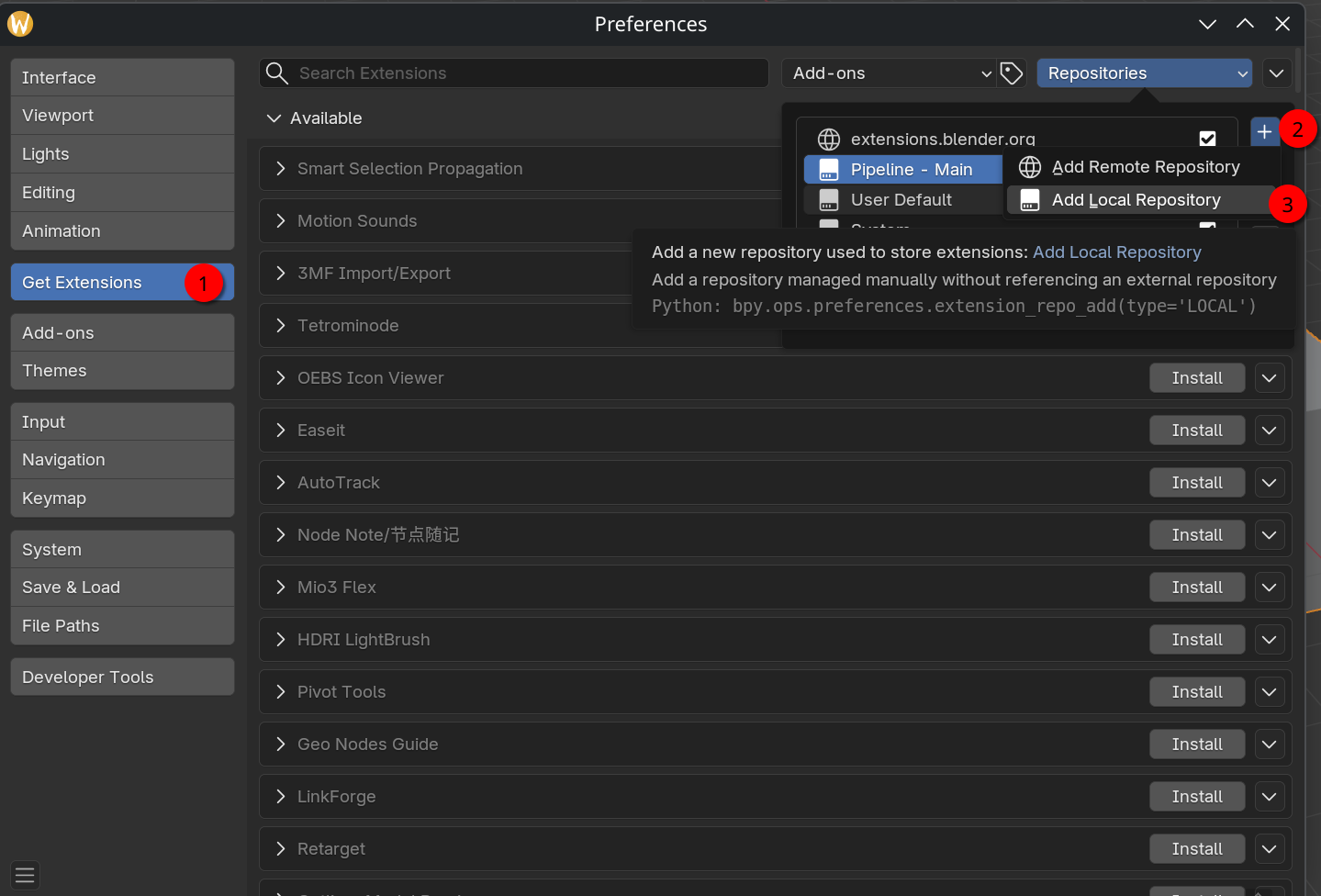
pounce-art/pipeline/blender/releases/mainfolder.- Go to preferences
- Go to Get Extensions
- Go to Repositories, press the + button, and Add Local Repository
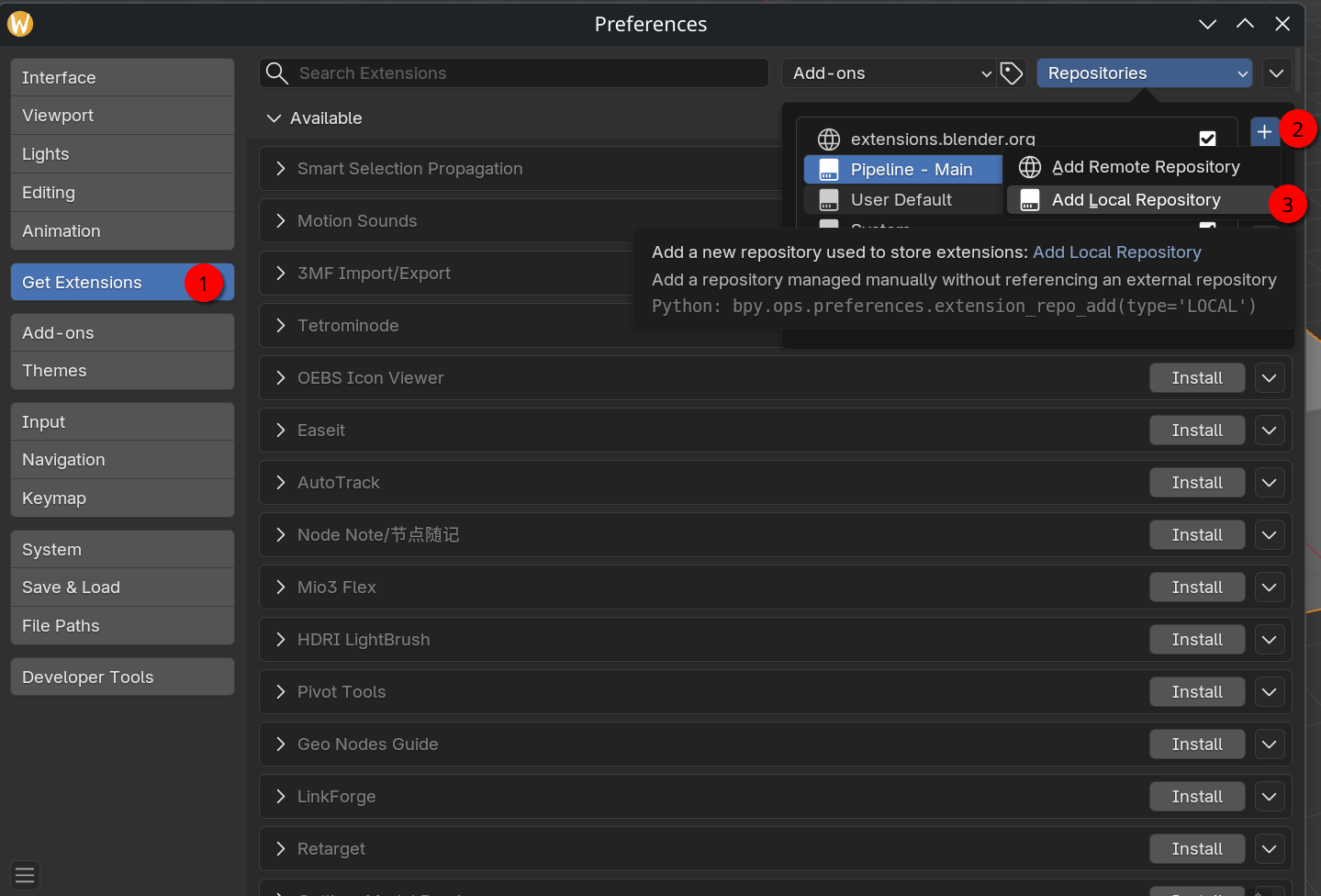
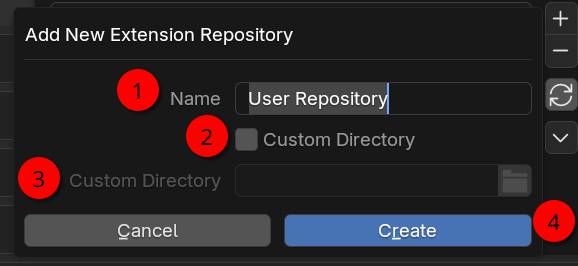
- Set the name to something such as Pipeline - Main, check Custom Directory, and set the path to
pounce-art/pipeline/blender/releases/main. Then press Create.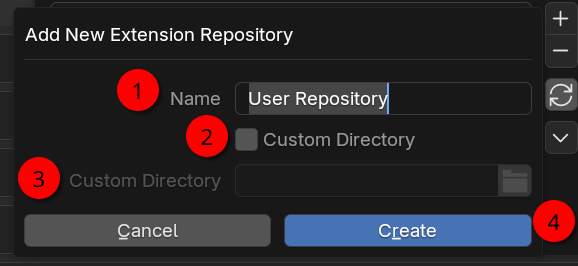
-
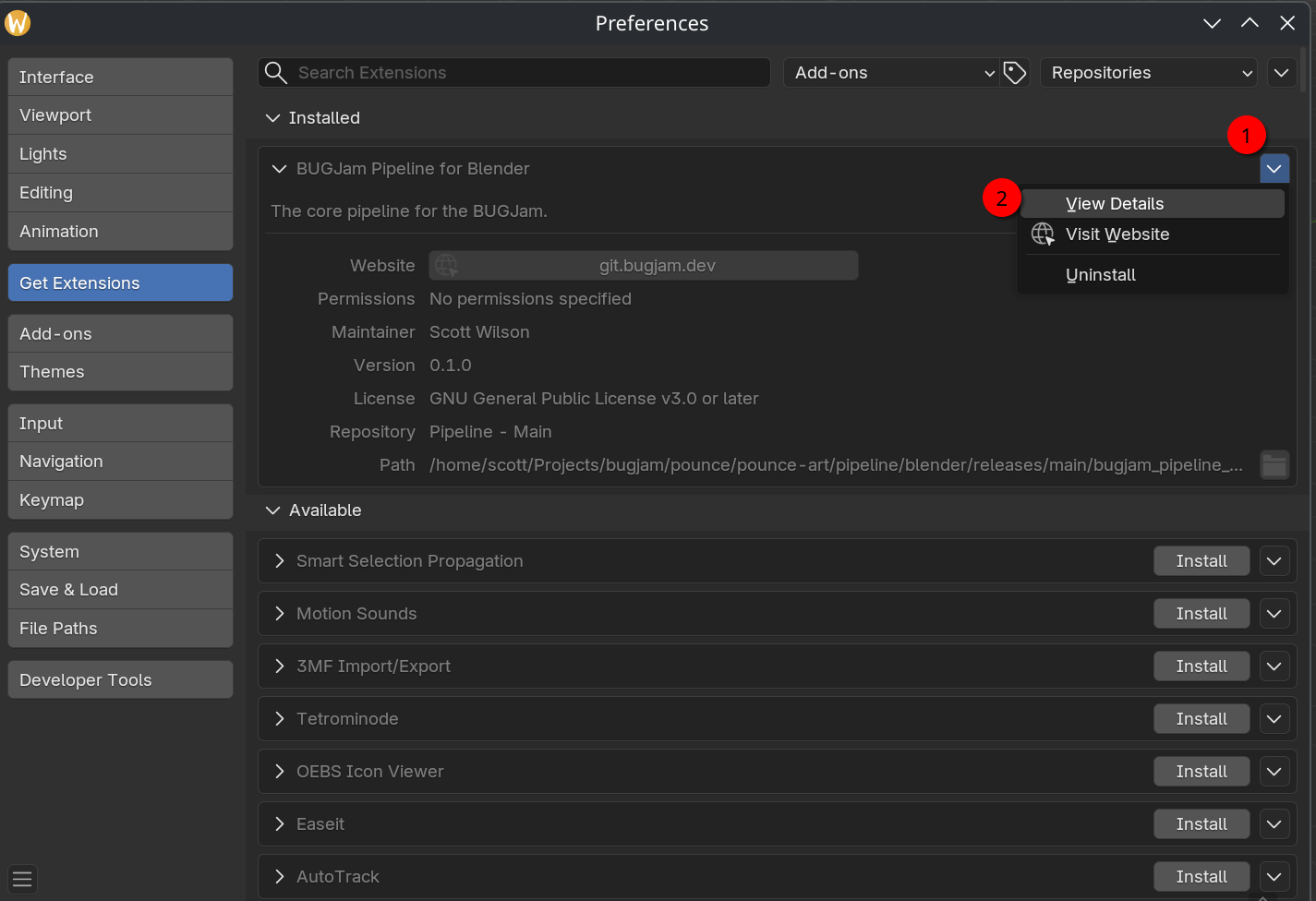
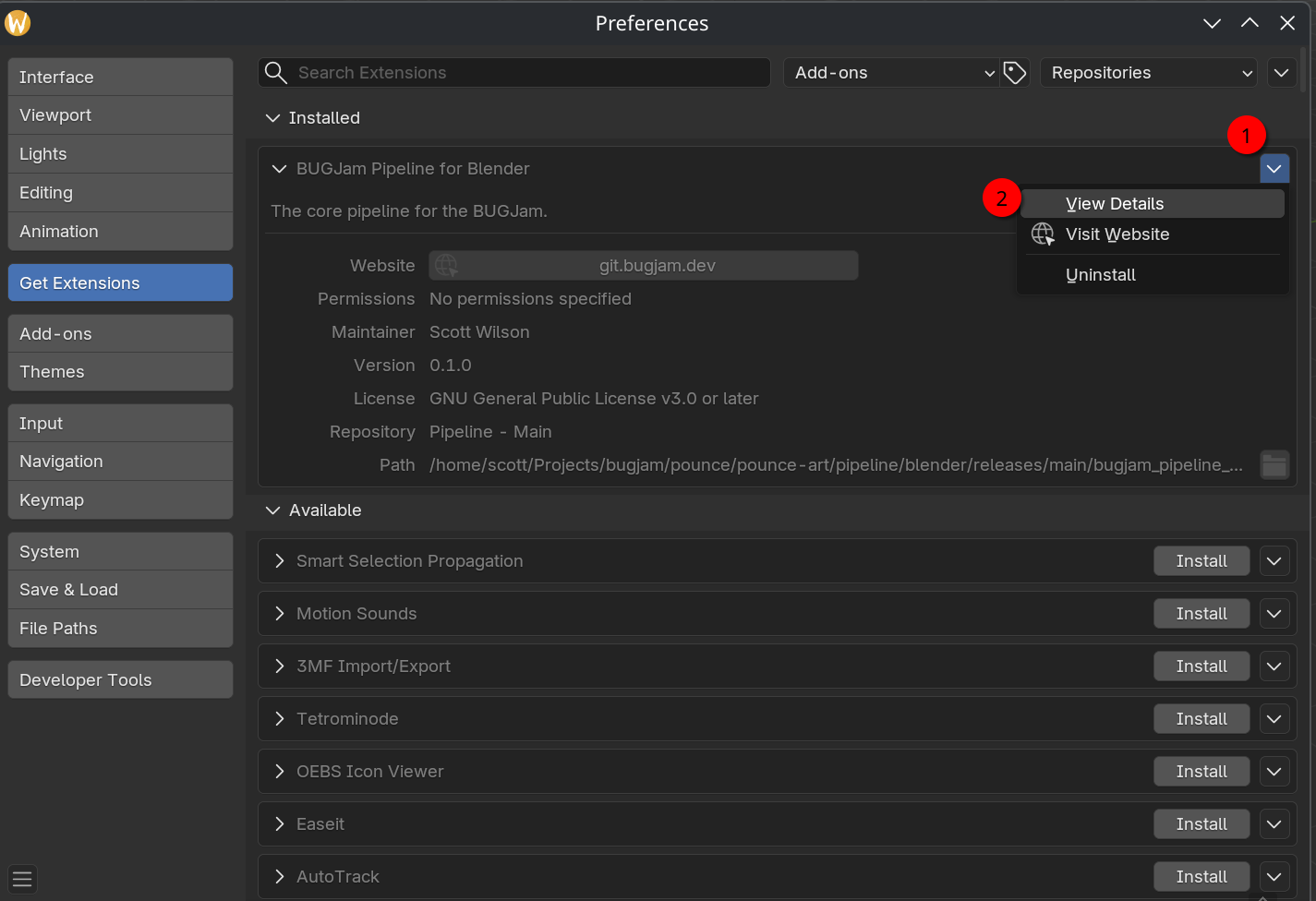
The BUGJam Pipeline for Blender should be listed under installed, but greyed out. Press the down arrow on the right, and select View Details.
-
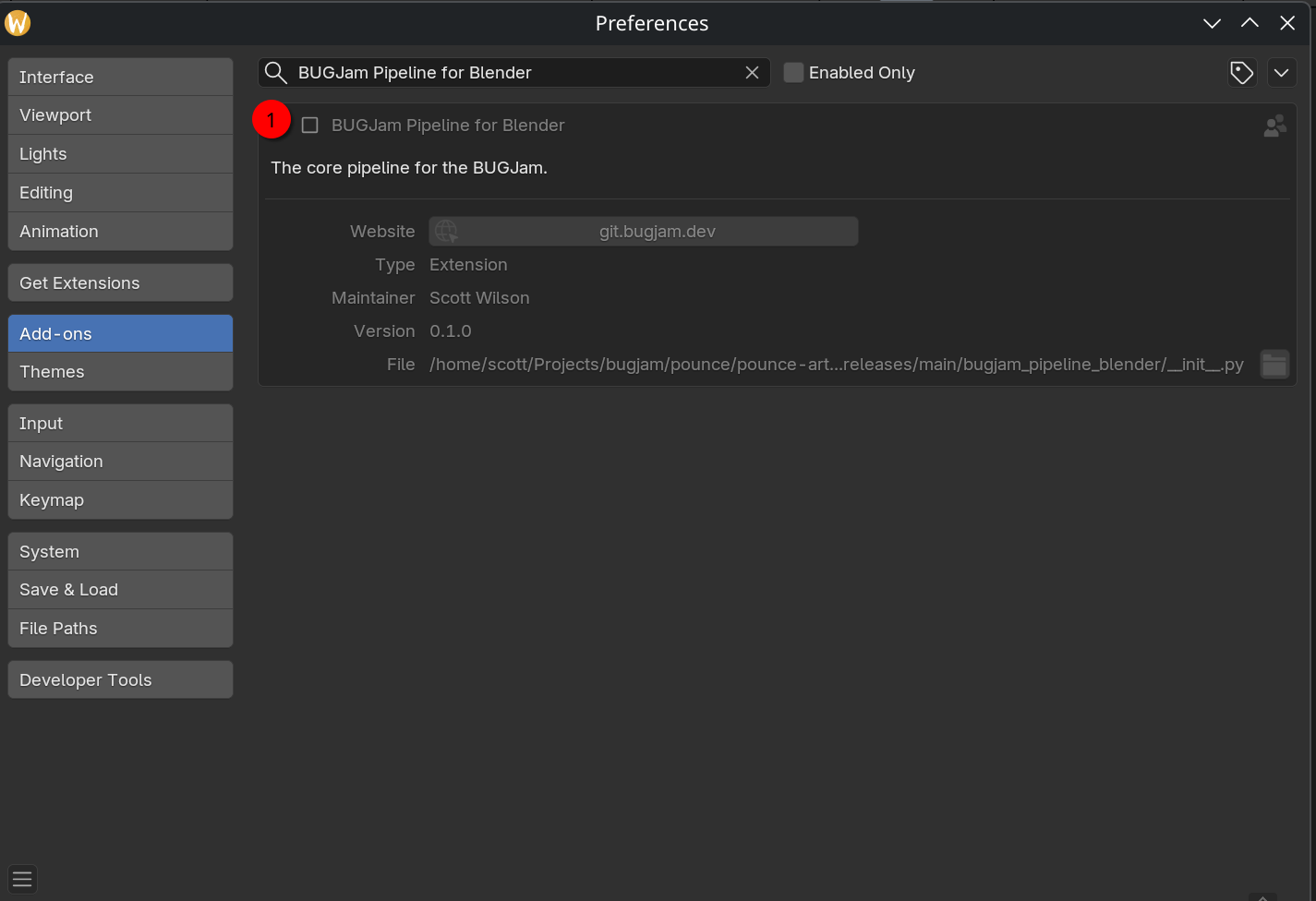
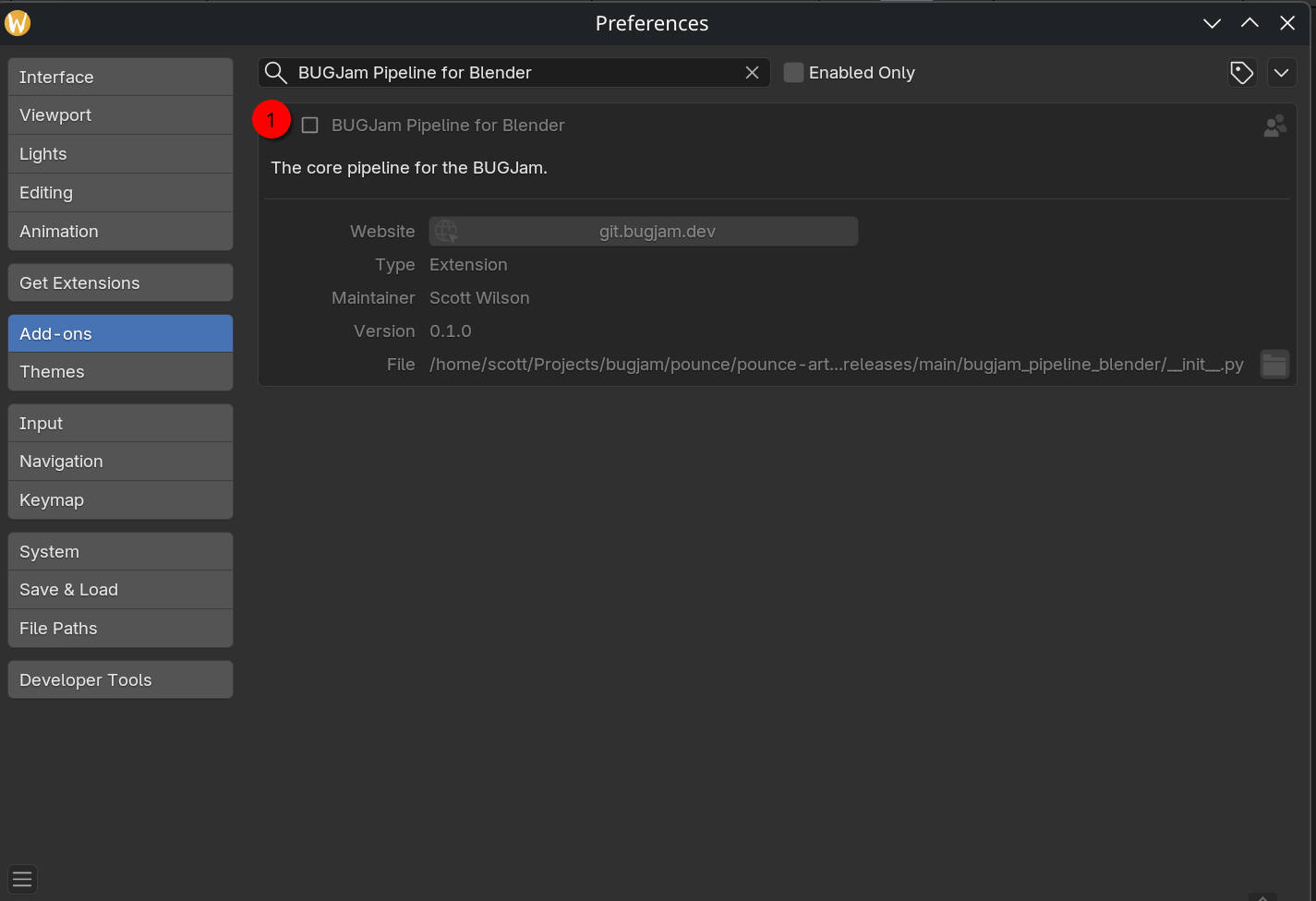
This will open the Add-ons view of the extension. Click on the box to the left to enable the pipeline.
Godot
TODO
No comments to display
No comments to display