
Behavior trees and state machines with LimboAI
LimboAI addon overview
We'll be using LimboAI for behavior trees and state machines
LimboAI docs | LimboAI on GitHub
LimboAI includes a demo project. It is highly recommended that you download it and check it out. When you run it, it has a nice little tutorial that walks you through the basics: https://github.com/limbonaut/limboai/tree/master/demo
In its classes and nodes, LimboAI uses the following prefixes:
BT: Behavior Tree- Nodes/classes that start with this have to do with parts of behavior trees
- As an example, the
BTPlayernode "plays" a behavior tree every frame and inside of that tree you haveBTSequence,BTSelector, etc
BB: BlackBoard- The blackboard is a shared place for agents to write values to.
- These values can be read and written by any task in the tree.
LimboHSM: Hierarchical State Machine- HSMs have
LimboStates inside of them. LimboHSMis itself aLimboState, andBTStatecan put states inside of behavior trees
- HSMs have
Behavior trees
Read the intro to behavior trees here
Accessing LimboAI behavior tree editor
When installed, LimboAI adds a button to the top of the Godot editor, alongside the 2D/3D/Script buttons

When you click on a BTPlayer node, it has a BehaviorTree attached to it. When clicking that, it will automatically switch over to the LimboAI tab.
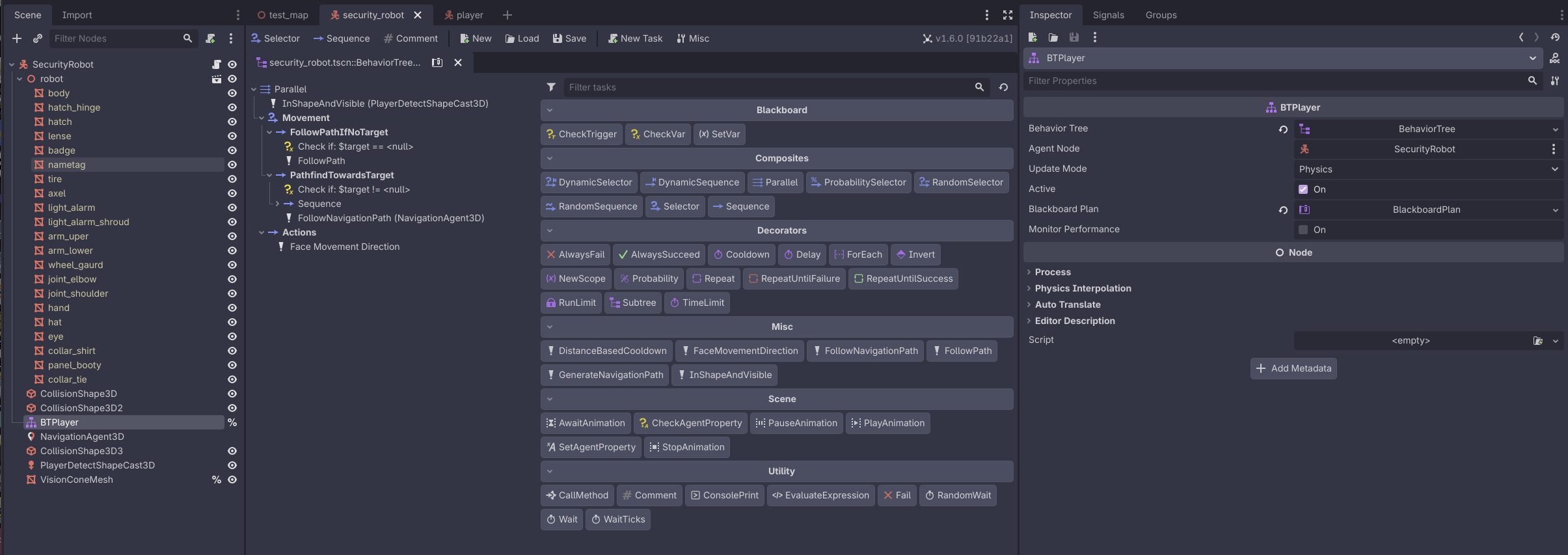
Building blocks: sequences and selectors
The main building blocks of a behavior tree are:
BTSequence: Think of these like an AND operator on the child tasks.- As long as a task return
SUCCESS, the next one will be executed.
- As long as a task return
BTSelector: Think of these like an OR operator on the child tasks.- On the first task that returns
SUCCESS, it will stop executing.
- On the first task that returns
Writing custom tasks
Read the documentation on writing custom tasks.
Custom tasks go inside of ai/tasks in the project.
At the time of writing, we have:
follow_path: Follows aPath3Dnode (i.e. for preset patrol paths)generate_navigation_path/follow_navigation_path: Using aNavigationAgent3D, generate and follow a path to atargetin the blackboardfollow_navigation_pathwill follow the path until it gets close enough to thetarget, it will returnRUNNINGuntil it gets there
distance_based_cooldown: Takes in aCurve2Dand uses that to do a cooldown based on how close the agent is to thetarget- Useful for generating navigation paths more frequently the closer you are to the
target, and less frequently the further you are
- Useful for generating navigation paths more frequently the closer you are to the
in_shape_and_visible: ReturnsSUCCESSif there's a target in aShapeCast3Dthat is visible (hit by a raycast, in "front" of the agent)- This also sets the
targetwhen it is visible
- This also sets the
State machines
https://limboai.readthedocs.io/en/stable/hierarchical-state-machines/create-hsm.html
No comments to display
No comments to display