
Physics layers and navigation regions
Physics layers
Current physics layers are:
- Environment: Anything in the environment that the player should collide with and get stopped by
- The player and the over-the-shoulder camera will collide with these
- Player: The player is on their own layer
- Walls: Anything that the overhead camera should interact with
- In general, all Walls should also be in the Environment group
- Props that the player might hide behind (i.e. pillars) should be in Envrionment but not Walls
- This way, when the player has the overhead camera active and they move behind something, the camera doesn't "snap" in front of the object
- Pickups: Things that the player can pick up
- The player has a shapecast on them that checks for this
Navigation regions
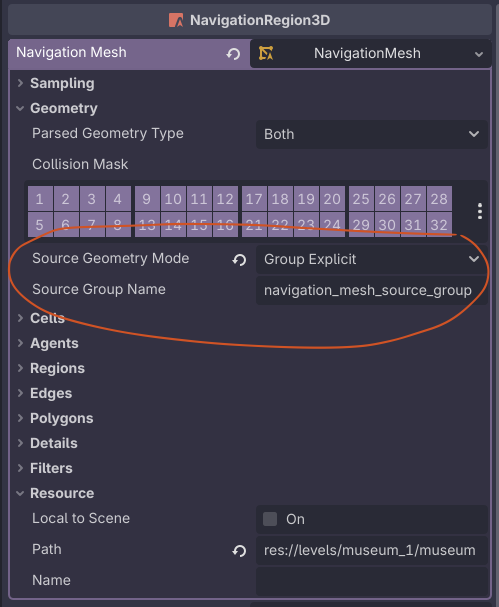
Meshes that should be part of the navigation mesh must be added to the navigation_mesh_source_group group. This is a global group that should
No comments to display
No comments to display