
Using Scene Builder
Scene Builder overview
The Scene Builder addon has been installed an initialized in the project. This is an open source addon written in GDScript.
Scene Builder can be used to easily place assets inside of a scene.
AssetPlacer is a popular addon for this functionality but it: a) Costs money, b) Is not open source, c) Requires the .NET (C#) build of Godot.
Using Scene Builder
On the right panel of the Godot editor, there is a Scene Builder tab:
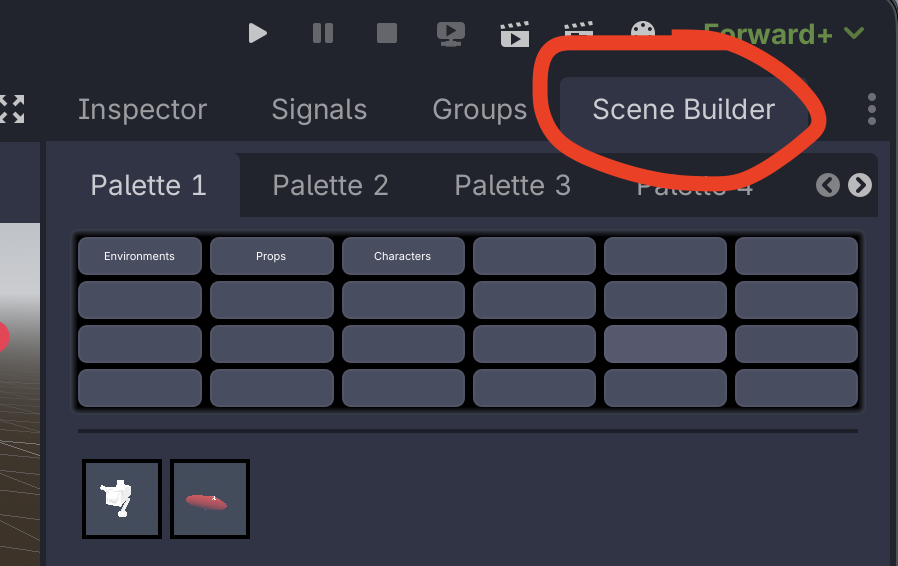
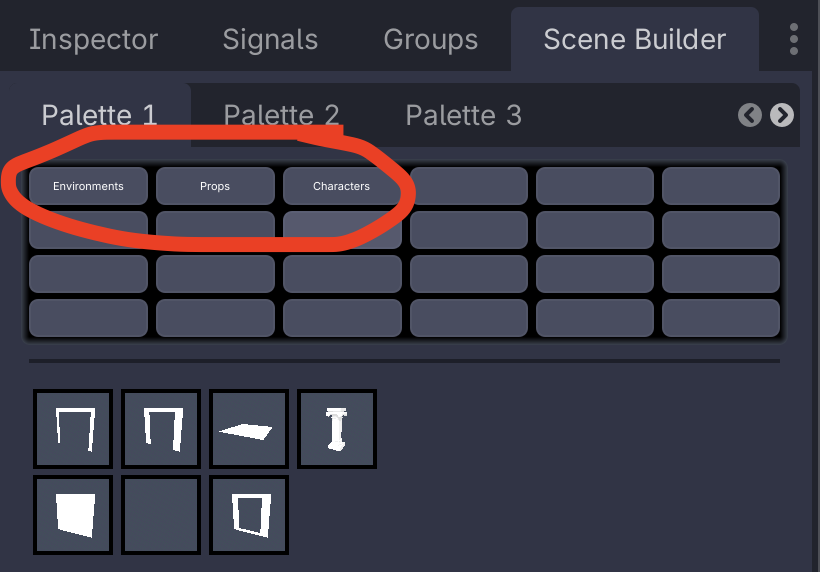
Selecting that, you can see a series of "Palettes" and below that categories.
When selecting an item from the icon list, that item can then be placed into the scene.
To rotate an item along the Y axis when placing it, click and drag left/right.
Parent node
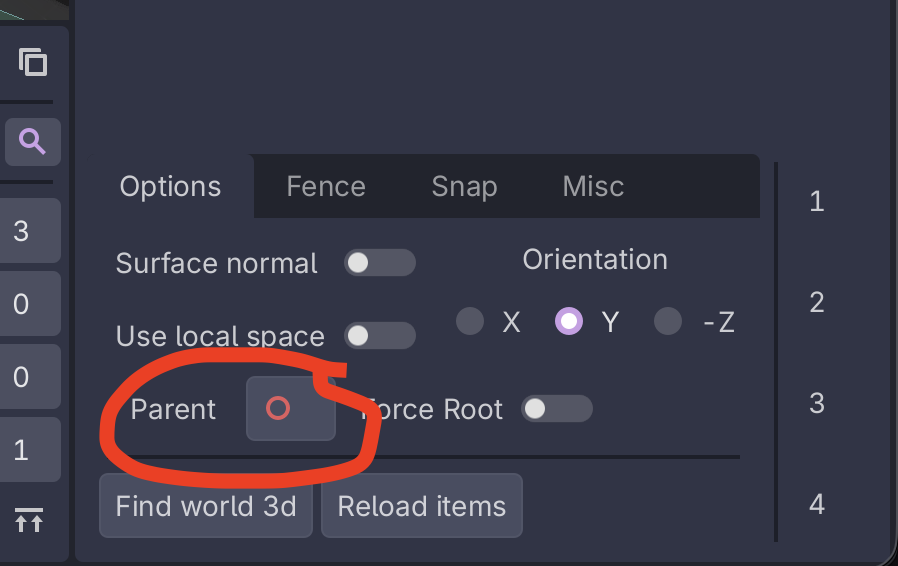
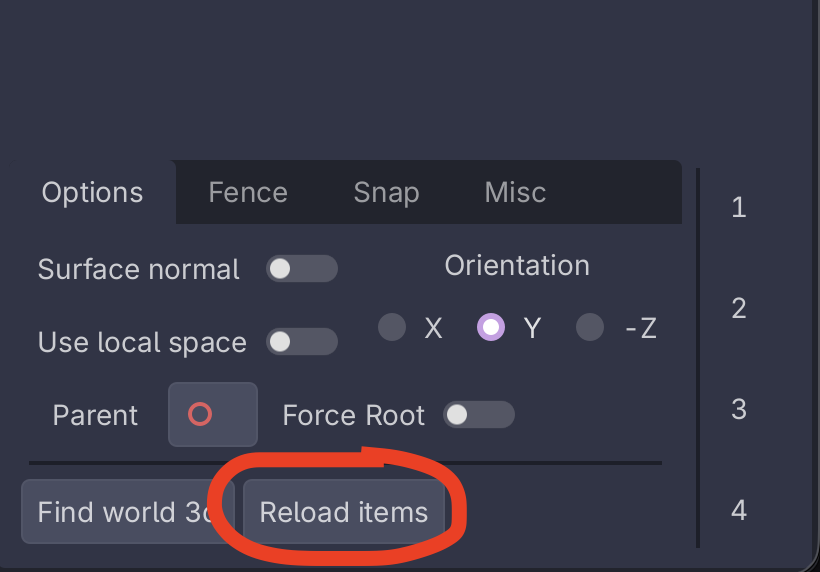
At the bottom of the scene builder tab, there's a "Parent" option that can be used to set which node items that are added as children to.
To set this, drag a node from the scene tree over to the "Parent" option.
If this doesn't work, click "Find world 3d" first.
Adding scenes to Scene Builder
To add scene(s) to the Scene Builder list,
- Select the scene(s) you want to add from within the "FileSystem" tab
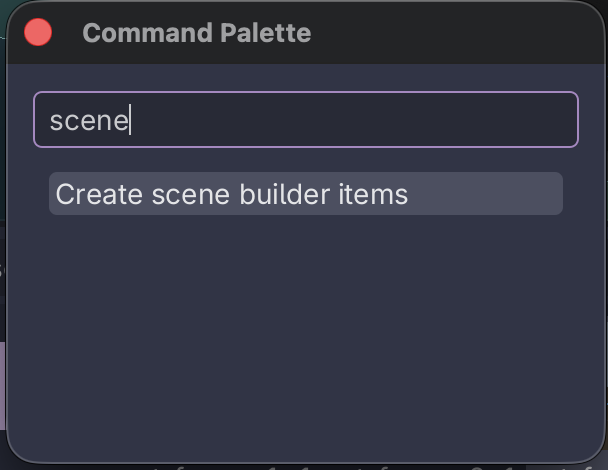
- Open the command pallette
- On all operating systems: ` (backtick, to the left of the "1" key)
- On macOS: Command+Shift+P
- Search for / select "Create scene builder items"
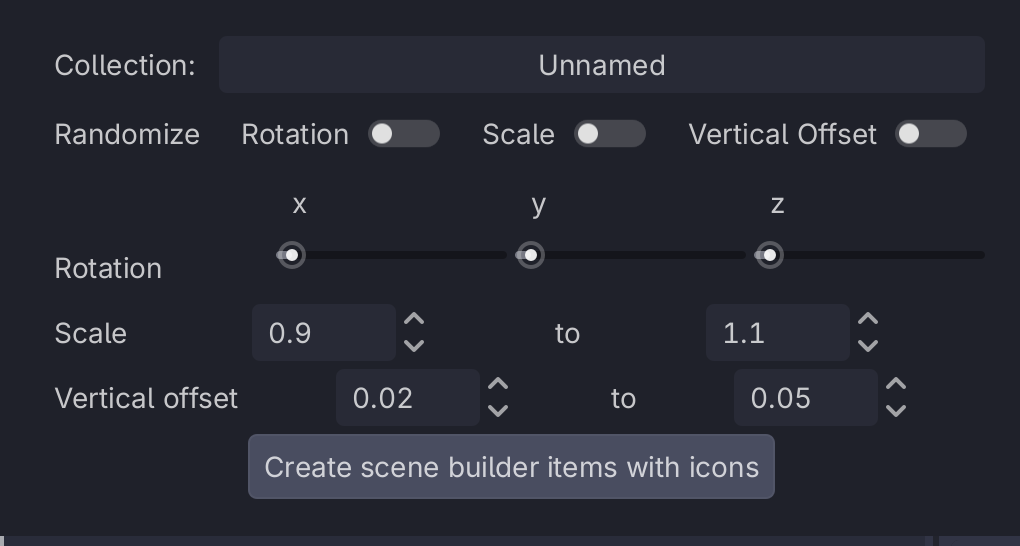
- A window will pop up asking for info
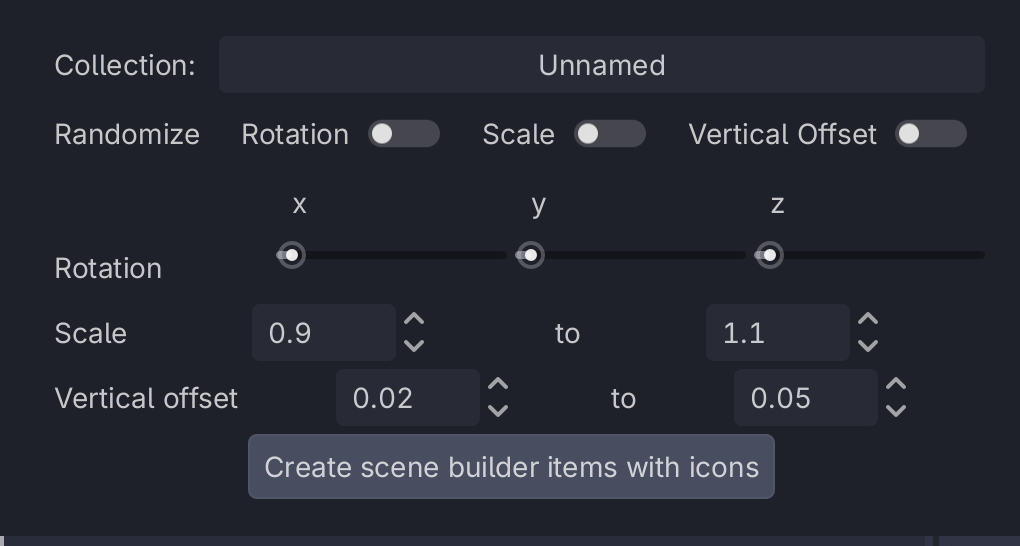
- Leave the "Randomize" toggles un-checked (unless you do want some randomness)
- In "Collection", type in the name of the collection you want the scenes to show up under
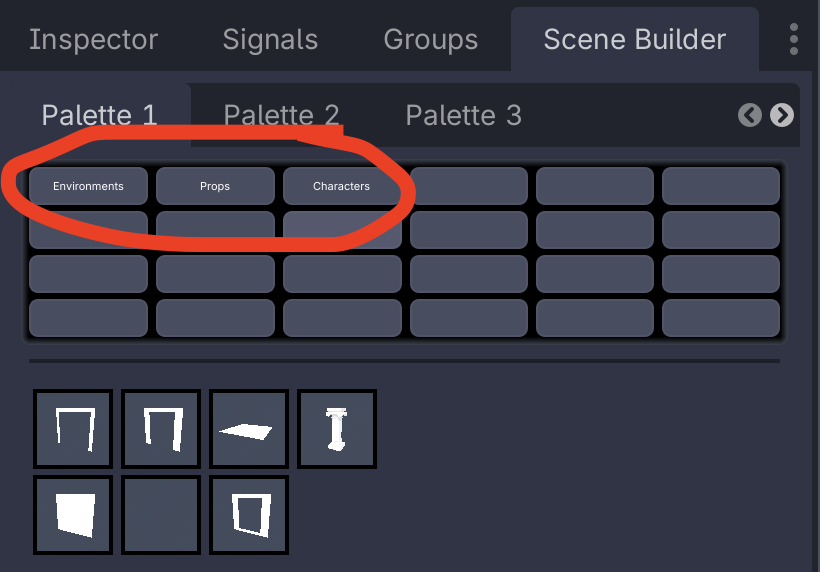
- At the time of writing these are
Environments,Props, andCharacters
- Click "Create scene builder items with icons"
- Click "Reload items" in the Scene Builder tab's options to show the new item
If the item doesn't show up, it could mean that there is a UID issue.
Open the .tscn file itself and then save it and try again - in source control you may notice that its UID gets updated.
Commit this change in source control and everybody should see your object show up in their scene builder list.
Managing Scene Builder
Scene builder has two resources inside the project that it uses to store data.
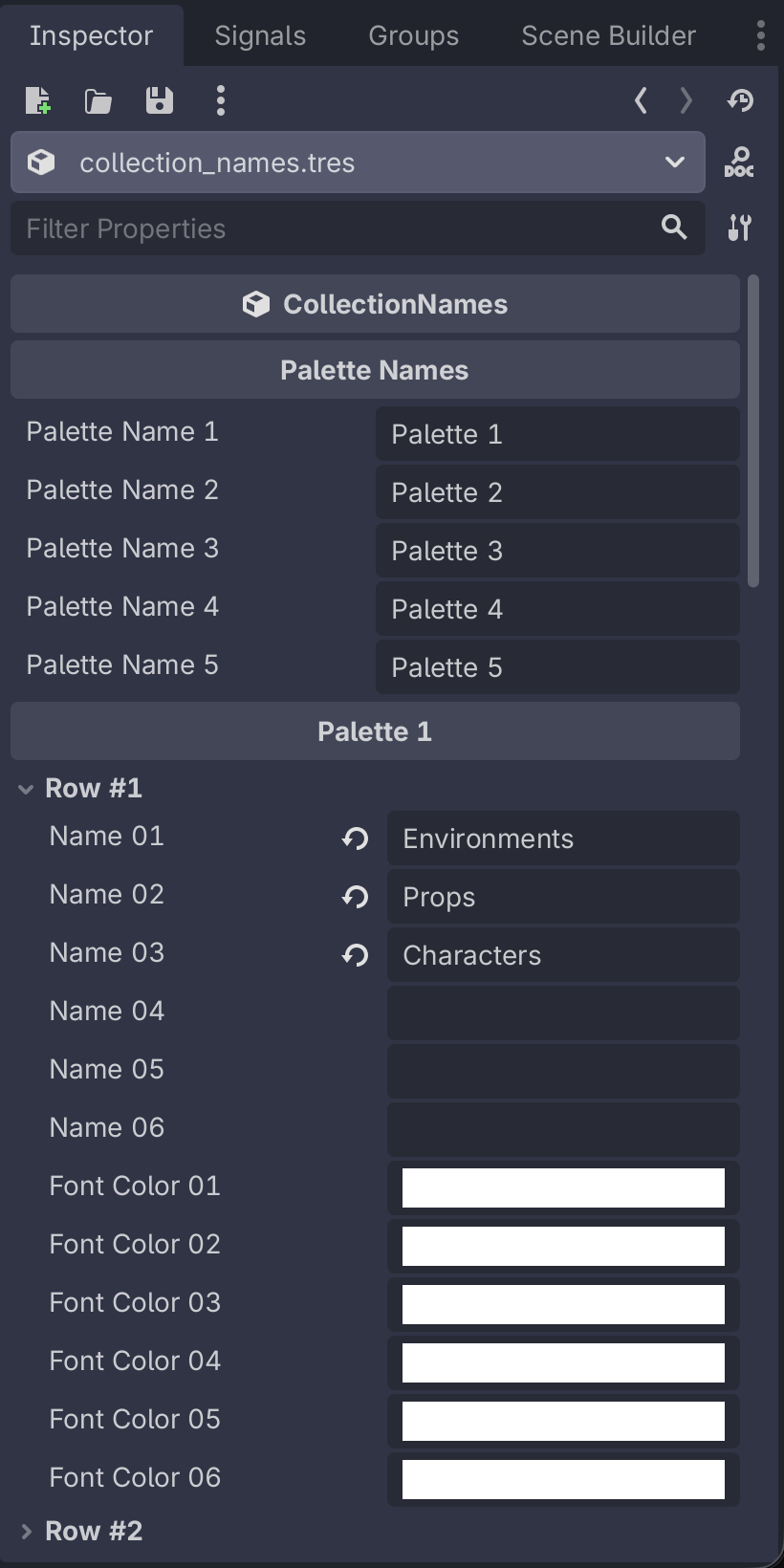
Data/scene_builder/collection_names.tres contains all of the names of the collections that are used. Double click on this in the FileSystem to view it in the Inspector.
---
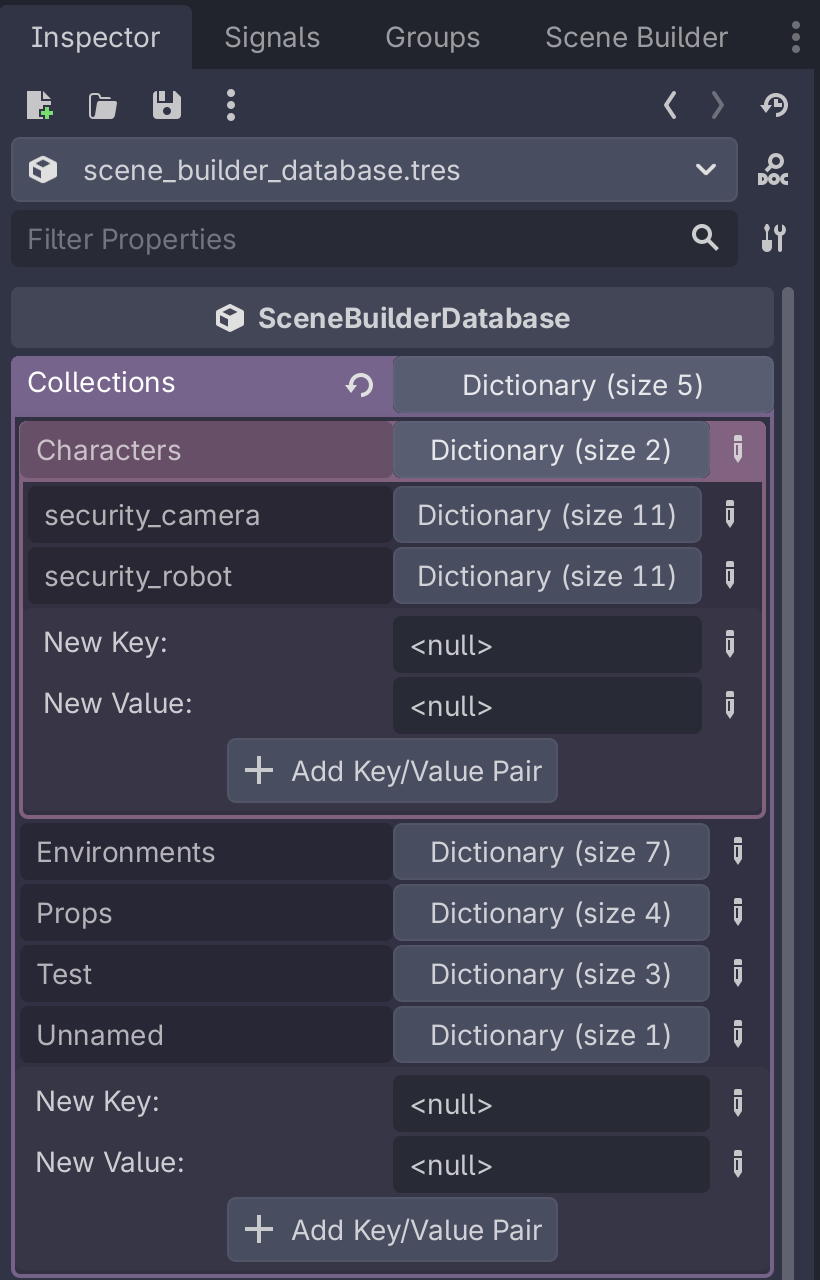
Data/scene_builder/scene_builder_database.tres contains the database of scenes, stored in a few nested dictionaries. Double click on this and open it in the inspector to edit/remove items from the different collections.
No comments to display
No comments to display