
Working with PureRef
PureRef produces .pur files. These contain image galleries / mood boards full of reference images and concept art.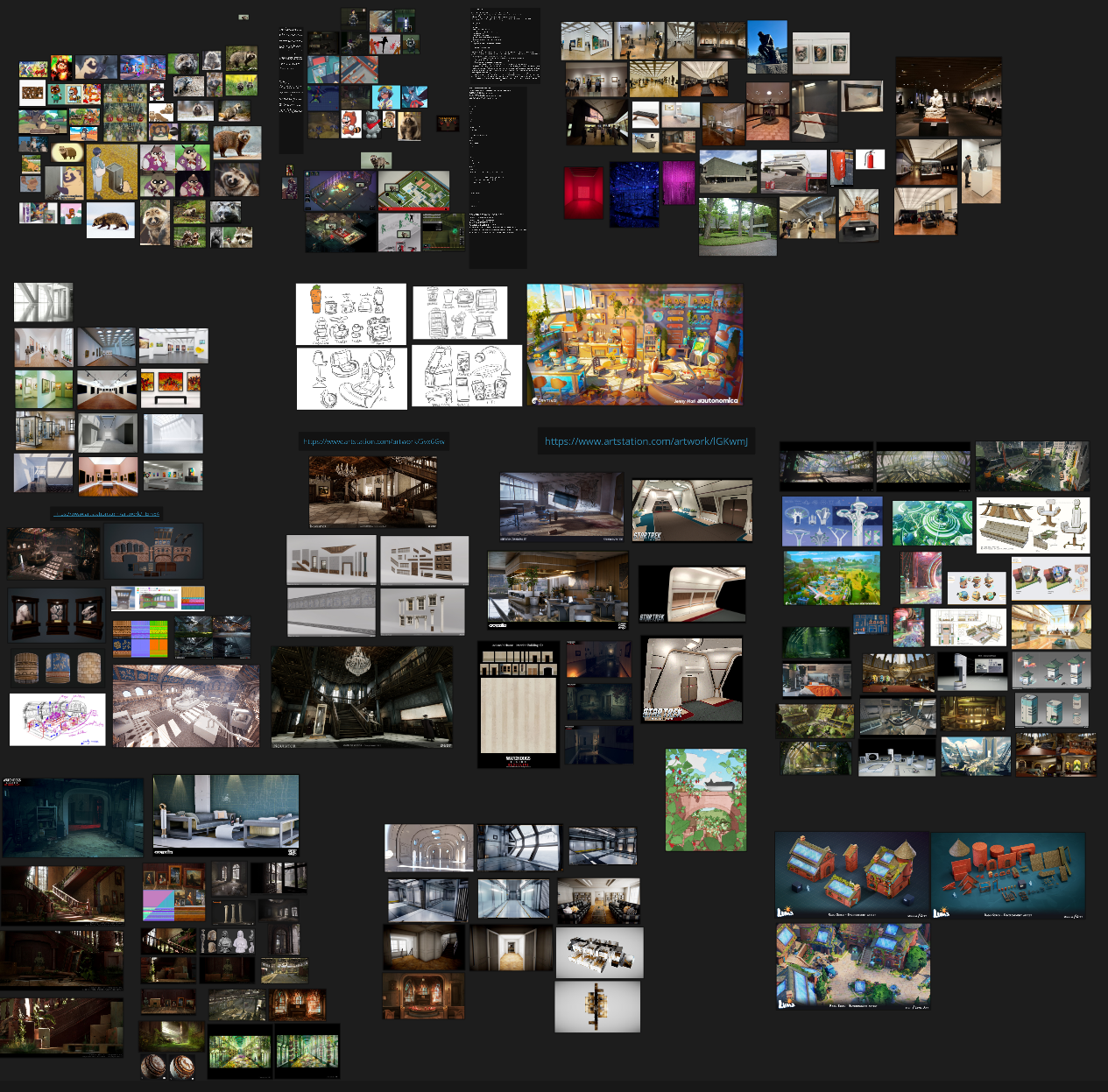
Optimization - Use linked images, not embedded
Images are large files, often around 500 KB - 10 MB each. If you add 200 images to your PureRef file, that can easily add up to 100 MB of (data depending on the compression used in each image). Let's keep using 100 MB as an example to keep it simple.
Committing in each of these images by themselves is manageable by Git LFS; These images files aren't likely to be modified, so they only have to be committed to the repo once. This means we will use the storage space and bandwidth of each image once, a total of 100 MB. - Not bad.
However, if you embed the images into the PureRef file directly, it will produce one massive 100 MB .pur file instead of saving the individual images. The total size is the same, but now there's a horrible issue: Every time you make a change to the PureRef document such as:
- Adding one new image
- Removing an image
- Moving an image around
- Or even just panning the canvas around
When you save it, the ENTIRE 100 MB has to be updated when it's committed to the repository. So every time you save you're paying the cost of all of the embedded images every time. If you save that file 20 times, that's 1 GB used up on the server's storage space, and 1 GB that every user has to download to their machines for basically no benefit.
Because of this we must instead save the images individually into a "references" folder, and use the "Linked" images option in PureRef, not the "Embedded" option. This will keep the .pur file only around 300 KB while the 100 MB of images are individually saved. This way if we make 20 commits with the .pur file it will only equal a total of 6 MB instead of 1 GB in the previous example.
Setting up linked files in Pureref
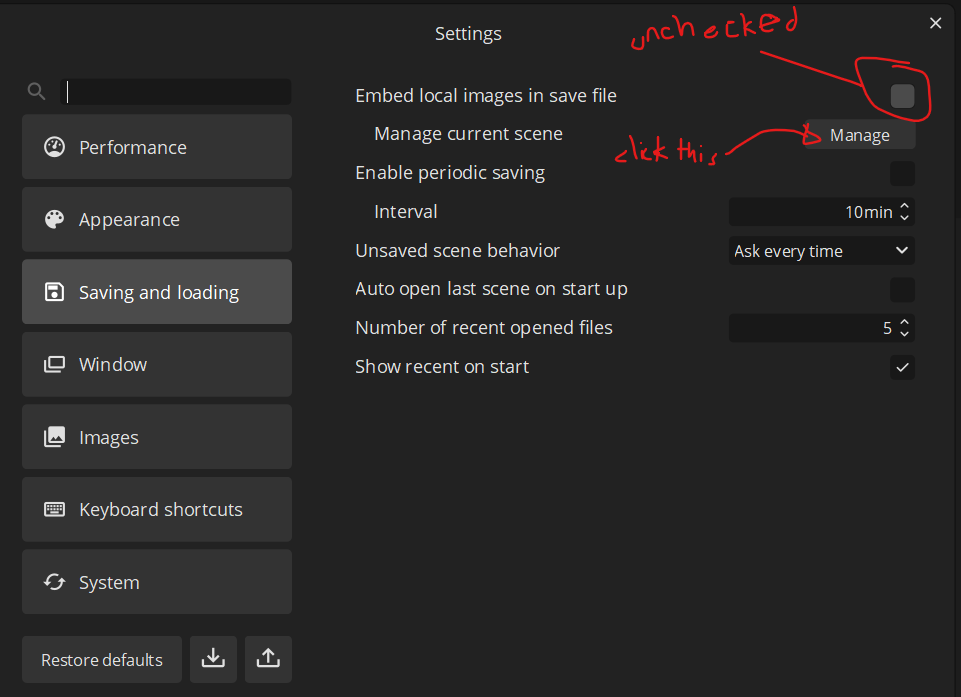
1. Right click and choose Settings (Ctrl + U), and go to Saving and Loading:
2. Click "Manage" and set up linking images with the proper folder output. It'll warn you that this can't be undone.
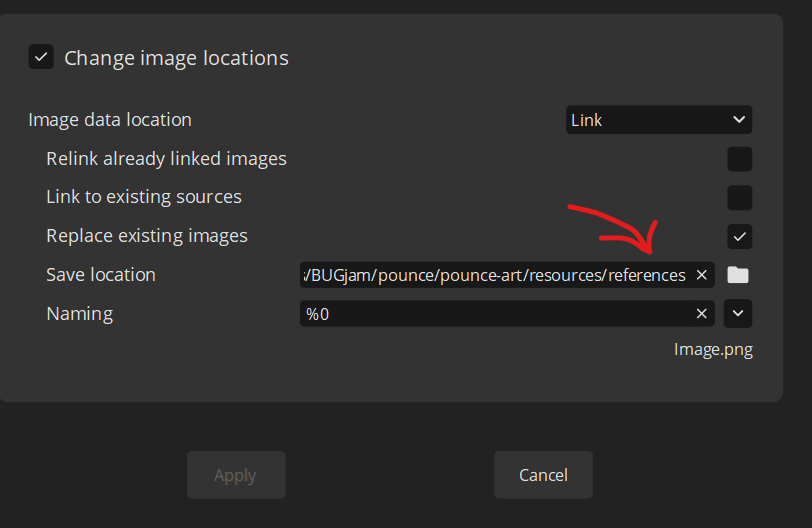
And that's it!
No comments to display
No comments to display