
Asset Creation - Part 1: Block Mesh
The purpose of the block mesh is to spend less than 20 minutes to create an extremely rough block out version of the model that can be used as a stand-in version of the asset. This allows us to get an early version in the game asap so that the level designers and programmers aren't blocked in their ability to do there work.
Goals
- Save a file into the correct location with the correct naming convention.
- Block out and extremely rough version of the model that vaguely looks like it could be the asset.
- Ensure scales and proportions are correct.
- Name all of content inside of the file appropriately.
- Set up an export collection, and point the file path to the in-game location for the asset.
- Export it into the appropriate game folder and establish it as an asset in the game.
- Create collision for the asset in-game.
1: Name file and place in the appropriate directory
Name
All art files should use `snake_case` all lower case letters, with underscores to separate words. absolutely no spaces in file names, this can break tools and pipelines.
Multi-part assets should be named with the primary part appearing in the name first e.g. dog_main, dog_collar, dog_shoes 'dog' is the descriptive part here so it comes first so that all parts are sorted together in the file system.
Directory
All art production files will be created inside of the pounce-art repository. The output of these files will be exported into the pounce-game repository. The file paths for these files will match 1:1 between the two repositories. See the game folder structure page for more info.
All art assets should go inside of the art_assets folder within each repository.
Your prop should be categorized into the appropriate sub-folder based on its type:
- props
- environments
- characters
Within this sub folder, you should create a folder named after the specific asset. All files for creating that asset should be saved in that folder. If you have reference images, make a reference folder inside of that asset's folder. In most cases, it should be one asset per .blend file. It's okay to create multiple assets within the same .blend file if they are logically grouped and it makes sense to make them together all at the same time e.g. a bunch of rocks, or a fence post + fence scaffolding.
BUGJam
└── pounce
  └── pounce-art
    └── art_assets
      ├── characters
      │ └── example_character
      │   ├── example_character.blend
      │   └── reference
      │     ├── reference.pur
      │     └── reference_image.png
      ├── environments
      │ └── example_environment
      │   └── example_environment.blend
      └── props
        └── example_prop
          └── example_prop.blend
Examples
A reflective mirror object that's used as a puzzle element in the game would go here:
BUGJam/pounce/pounce-art/art_assets/props/mirror/mirror.blend
The Tanuki character that the player will play as would go here:
BUGJam/pounce/pounce-art/art_assets/characters/tanuki/tanuki.blend
Naming Conventions (for assets):
All art files should use `snake_case` all lower case letters, with underscores to separate words.
Please name EVERYTHING in your outliner DO NOT leave things as "cube.001/cube.002" when naming in your outliner, use the conventions assetname_suffix with one of the following suffixes.
"_sm" - static mesh
"_sk" - skeletal mesh
"_mat" - material
"_basecolor" - base color texture
"_normal" - normal map texture
"_ao" - ambient occlusion texture (mesh map)
"_curvature" - curvature texture (mesh map)
"_orm" - channel-packed texture containing Ambient Occlusion, Roughness, and Metallic maps
All artwork for the game (characters/ materials/ props/ etc) will be submitted as .blend files to the GIT repo
Scale:
We will be working with standard blender units aka meters. One meter is one blender unit. One meter is also 100cm, so working from measurements like the ones attached is easier than it seems if you're used to imperial!
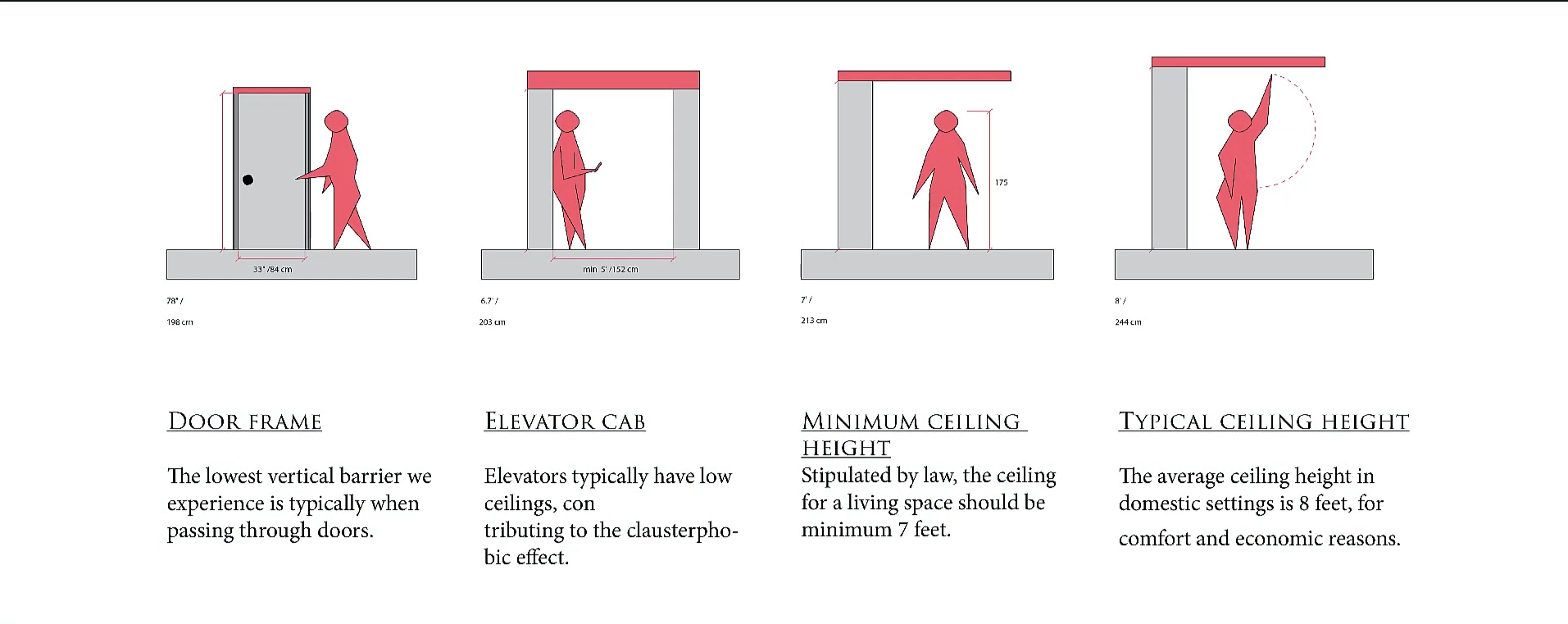
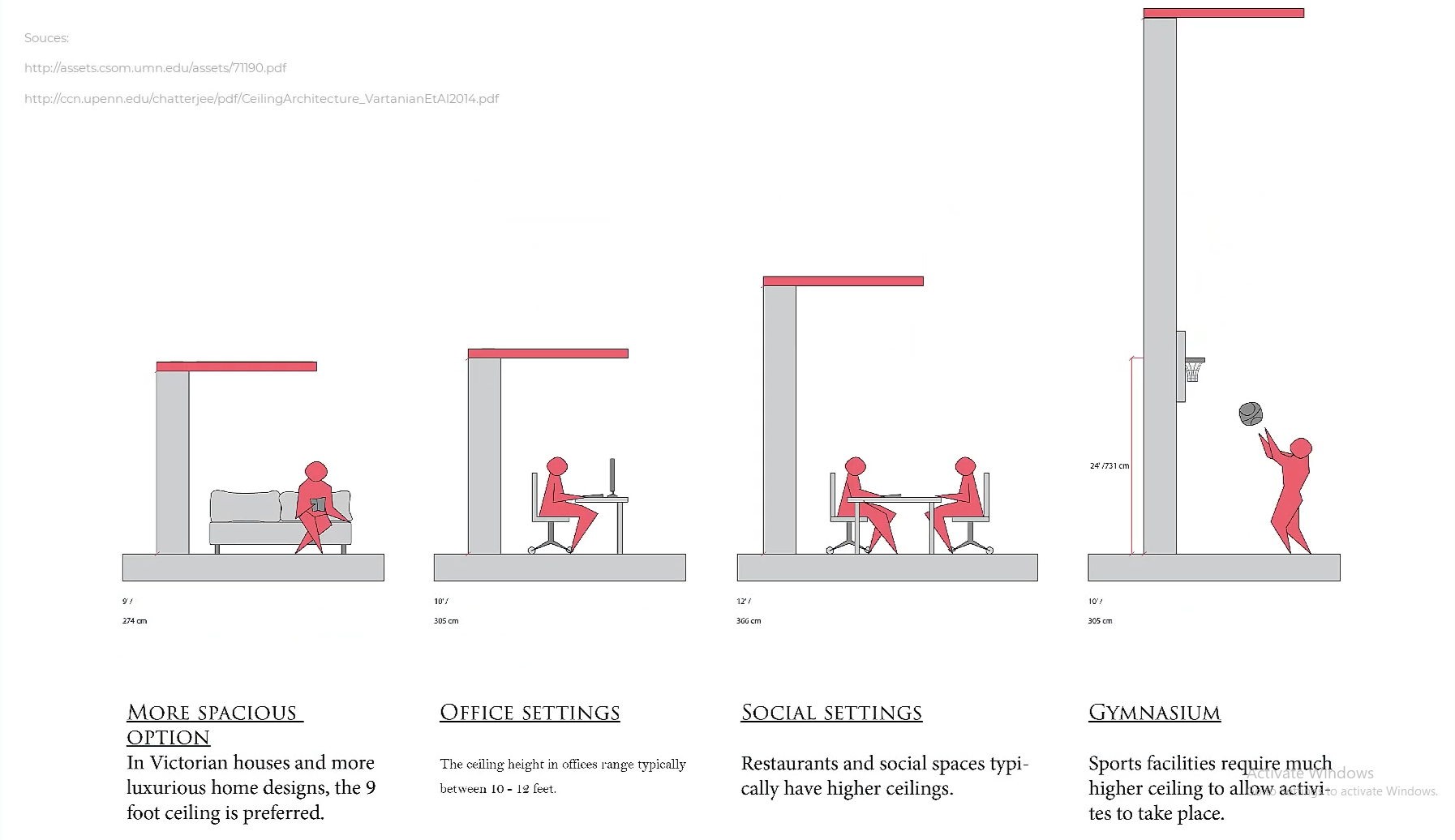
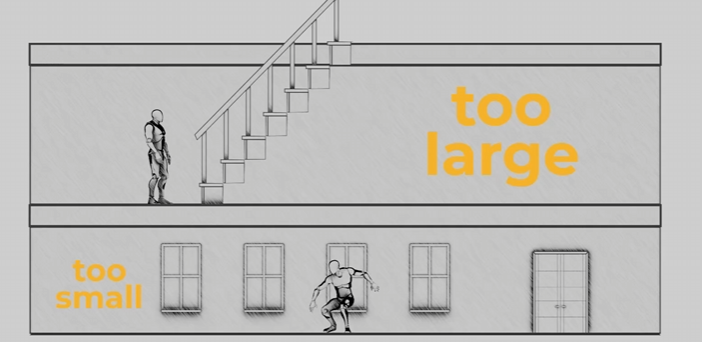
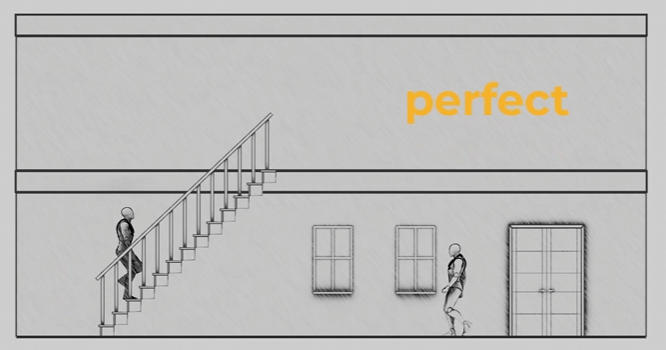
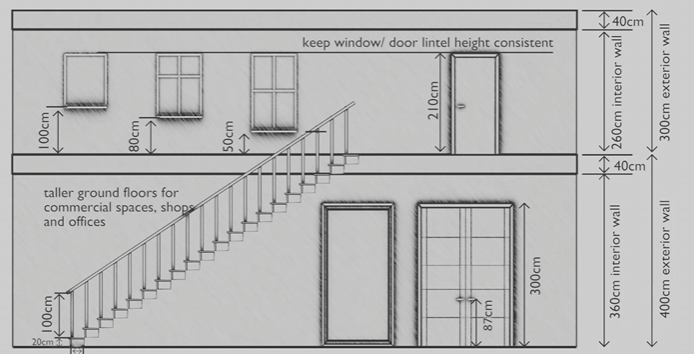
For scale, please also utilize a "main_character" mesh (attached) to compare to your mesh whenever possible! When working, we will start with a blockout for your objects/ character that will be tested in the game engine.
reference photos sourced Schoolism. Life – Lesson 71. Schoolism. Accessed 2/11/26. https://schoolism.com/s/life/course/lessons/71