Chucky and Dexter
Example Game Pitch + Game Design Doc
- Game Design Document
- Chucky & Dexter
- Change Notes
- High Concept
- Milestones
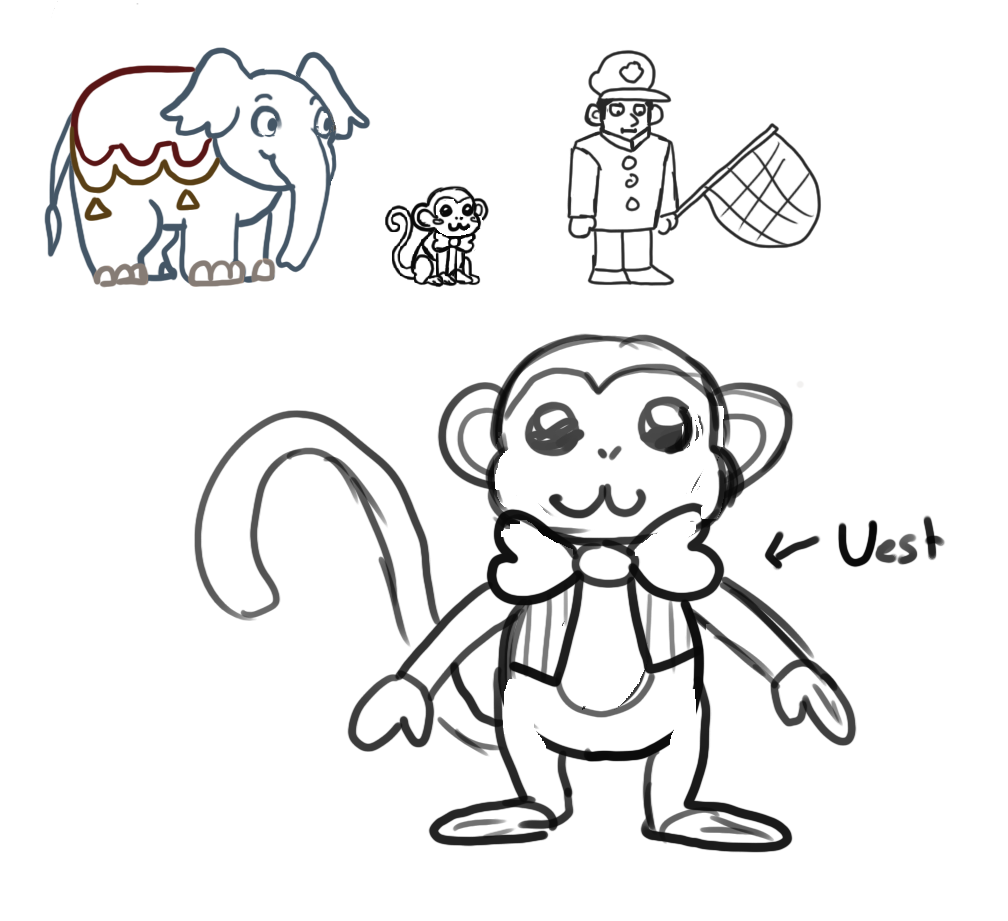
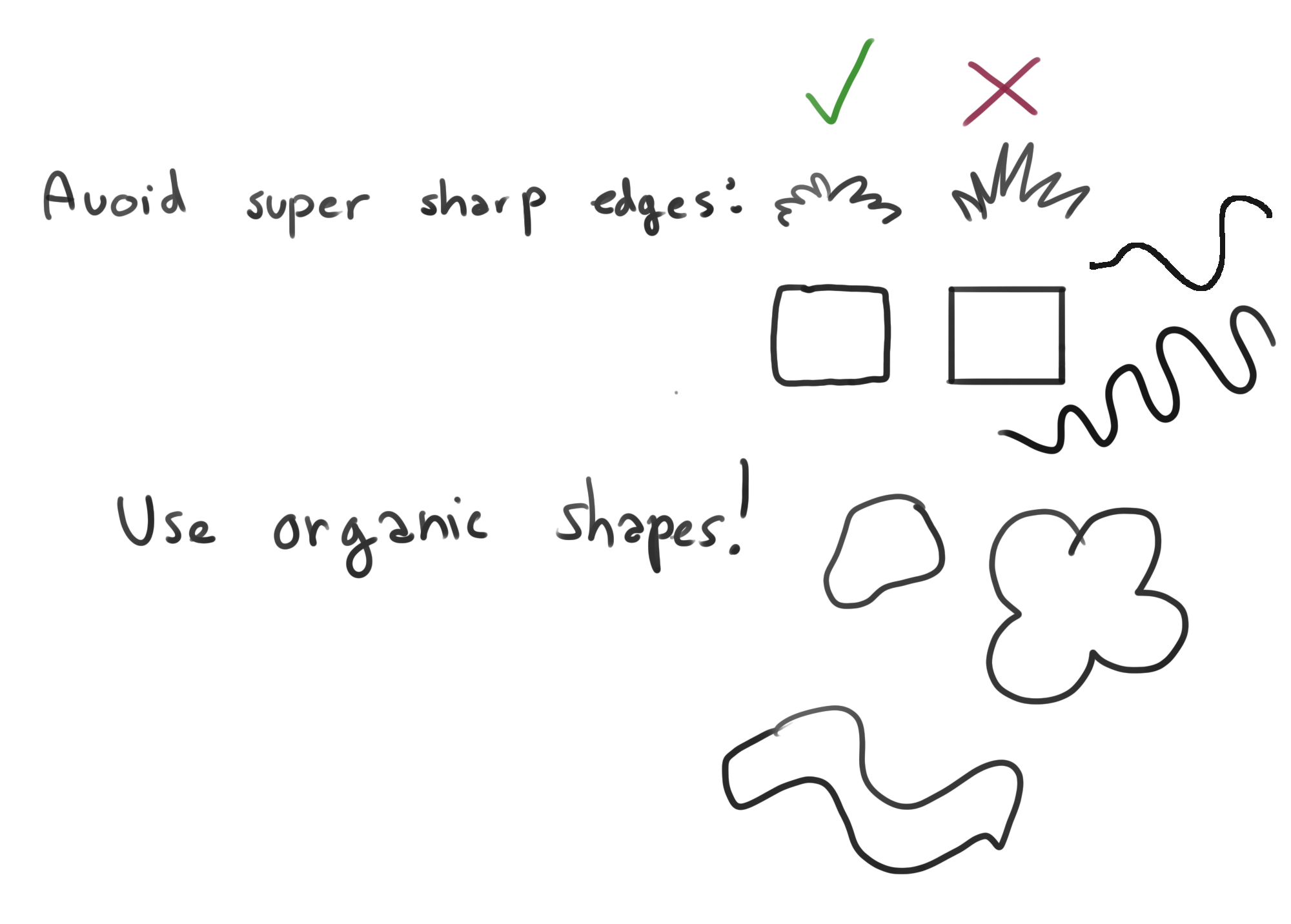
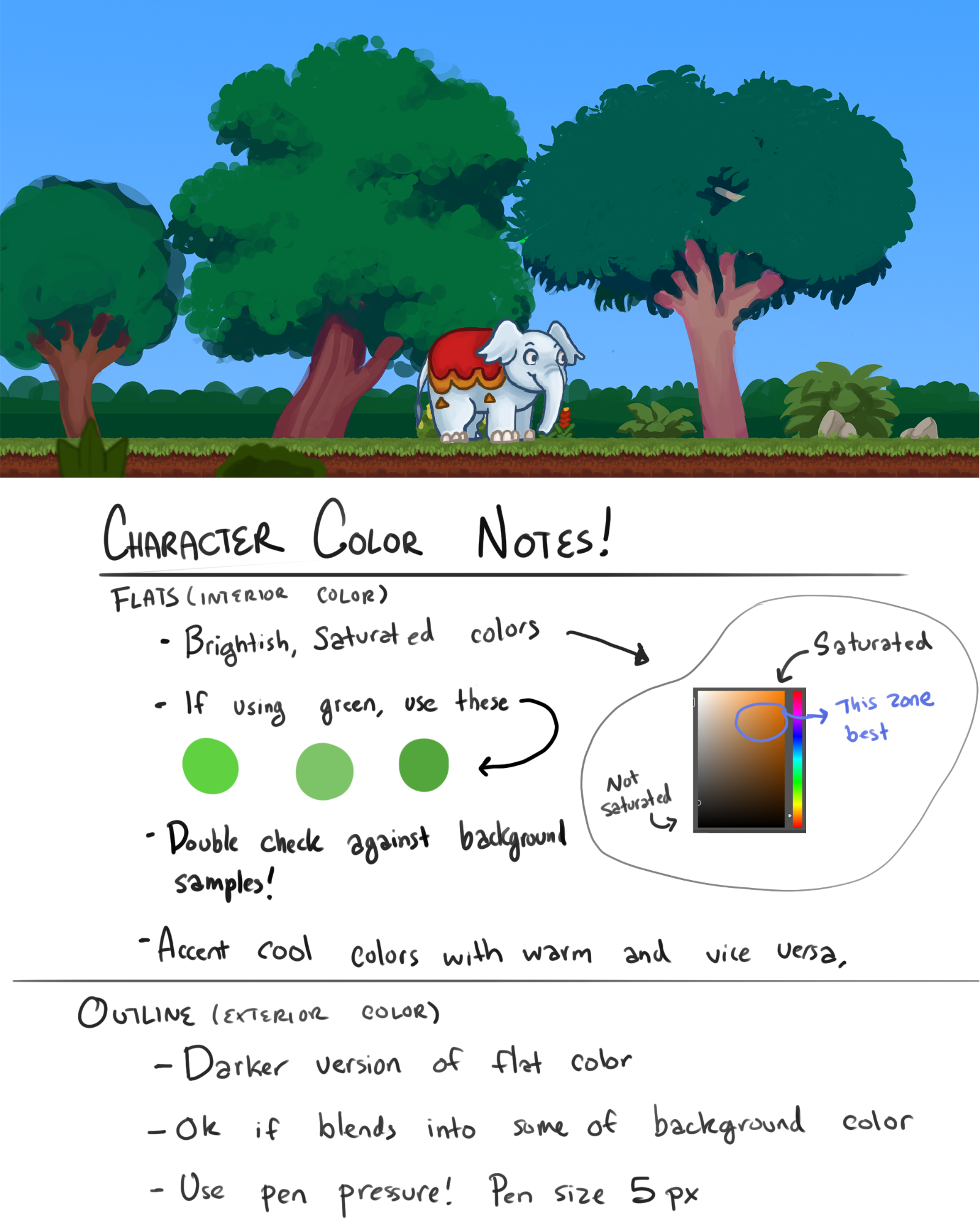
- Art Direction
- Sound Design
- Controls (And Other Scripts)
- User Interface, Title Screen, and Menu
- Level Design
- Asset List
Game Design Document
A snapshot of my old GDD for Chucky and Dexter (warts and all) ported from Google Docs to BookStack
Chucky & Dexter
Chucky & Dexter
Studio: LWTech GAME BAS Cohort #2 (Class of 2020)
PC and Console Game
Built with Unity 2018.3.7f1
Change Notes
01/24/2019
Game concept and pitch were created: This game was originally pitched as a project for the LWTech GAME BAS 2020 Cohort’s 2D Game Design class. The idea is to have a game that our team of 14 students can produce in about 5 weeks. The idea isn’t particularly complicated or unique, but should be achievable in the allotted time.
02/13/2019
Game ideas were pitched to the class, Chucky & Dexter received the majority vote to be the game we work on for the rest of the quarter.
Began converting the game pitch document from concept material into proper Game Design Document that can be used for development.
02/14/2019
All major areas of the GDD were completed, document was shared with team and opened for comments.
02/20/2019
Fixed a hand full of typos. Clarified some small areas. Improved list of milestones. Added a Sound Design section. Added art director’s style guide to Art Design section. All comments from this week up to this point have been resolved.
02/21/2019
Updated list of sound effects
02/27/2019
Added art director’s color notes to the Art Direction section. Added the list from “Needed Assets For Title Screen.docx” into the GDD under a new “User Interface, Title Screen, and Menu” section.
High Concept
Chucky & Dexter is a casual two player local co-op puzzle-platformer game. An alternative to violent action-heavy games, it is packed with cute characters, and a light-hearted atmosphere. The game is intended for couch co-op; controls are designed for two Xbox controllers (one for each player), and the visuals and level designs will be large enough to be seen from the couch.
The levels have to be navigated as a team. The core gameplay is platforming similar to BattleBlock Theater. What makes this game different is that the co-op is asymmetrical; both characters have a set of abilities and limitations that compliment one another.
Player One plays as Chucky, a baby elephant who is slow and heavy, can move large obstacles, and can vacuum up objects with his trunk, then chuck them across the level (this includes your co-op partner)
Player Two plays as Dexter, a monkey who is small agile, and dexterous. He can interact with small buttons / control panels, can climb ladders and monkey bars. And can be thrown by Chucky to gain access to far areas of the level.
Together, Chucky and Dexter have to escape the circus while solving small puzzles to get to each new area, and avoiding obstacles, and animal control officers. For our demo we can build 3-5 levels. Each level must be exited by both Chucky AND Dexter via the exit door. The game is over when you complete all of the levels.
Milestones
Week 0 Milestone (02/13/2019)
- Game pitch document converted to a useable game design document
- People assigned to art team and programming team
- Trello set up for art team and programming team
- First tasks assigned to all team members
Week 1 Milestone (02/20/2019)
- Load levels as individual scenes
- Press button to restart the current level
- Co-op input (with two Xbox controllers) working
- Player movement for Chucky
- Player movement for Dexter
- Character swap button
- Art style determined for Characters, Objects, and Environments
- Placeholder Art
- Rough colored background in layers
- Generic environment tile sheet
- Placeholder art for most (if not all) items
Week 2 Milestone (02/27/2019)
- Co-op camera tracking properly
- Doors and buttons can be easily paired by the level designer
- 2D tile sheets loaded into tile pallet
- 3 prototype levels created with tile editor and placeholder assets
- 2D character animations blocked out in black and white
Week 3 Milestone (03/06/2019)
- Elevators working
- 5 prototype levels with nearly completed assets
- Chucky controls finished
- Dexter controls finished
Week 4 Milestone (03/13/2019)
- Music and sound effects in place
- Main Menu
- Start
- Quit
- Level Select
- Chucky’s aim trajectory line complete
- Animal Control Officer’s AI functional
- Playtest all levels, make adjustments as needed
Week 5 Milestone (03/20/2019)
- Polish / catch up on any missing tasks
- People with no tasks left can create extra levels
- Finished vertical slice, ready to be demoed!
Art Direction
Naming convention: EnvironmentTiles_128x128.png
Art is high-fidelity (AKA not pixel art) sRGB
Environment tiles are 1x1 Unity unit, and 128x128 pixels each.
Art submissions are to be submitted as .png (If Photoshop’s way of handling .png alpha channels causes problems there is an exporter plugin that we can use to fix it.)
For characters, don’t cramp your assets into the 128x128 space, give them room to breath, otherwise natural looking character movements are difficult to achieve.

Test out the size of the assets in the scene (especially compared to other similar assets) before detailing and or animating.
Art should be drawn at a slight angle, the doorways and characters will look extremely awkward if they are drawn exactly from the side angle

Sound Design
Sounds should be cartoony, and should not over-power the music
Music
Title Music
Main theme (Circus / Out in the jungle themed)
Sound Effects
- Chucky
- Footstep sounds
- Landing on the ground sounds
- Trunk suction
- Object loaded onto the tip of the trunk
- Object launched from trunk
- Dexter
- Footstep sounds
- Landing on the ground sounds
- Tree / Coconut
- Leaf rustling sounds
- Coconut hitting the ground softly
- Coconut shattering on surface
- Wooden Crate
- Sliding along the ground
- Hitting the ground softly
- Shattering from being kicked
- Buttons
- Button pressed / activated
- Button released / deactivated
- Elevator
- Moving up and down
- Finished moving
Controls (And Other Scripts)
Controls are designed with two Xbox controllers in mind.
Common Controls:
Chucky Controls:
Dexter Controls:
Co-Op Camera (keeps both characters framed on screen)
User Interface, Title Screen, and Menu
Neutral state: The object/menu option is not being hovered over.
Active state: The object/menu option is highlighted (being hovered over but not pressed).
Pressed state: The object/menu option is clicked on (or player presses A while it is highlighted) The active state must be noticeably different from the neutral states.
Title Screen
Menu Assets
Buttons
Level Select Screen
Level slot refers to an image of the level with some identifier for which one it is. I.e, screenshot of level one with “Level 1” in text below it.
The active state must be noticeably different from the other states
Level assets must consist of levels 1 - 5 and include assets for one named “Tutorial”
Creating fun names that match the theme of each level is acceptable as well, talk to the level designer about that.
Level Screenshots and/or animated gifs (Communicate with Level Designer whenever that is decided)
Menu Assets
- “Level Select” text
- Level Slot Background
- “B To Return” image
Buttons
- Level Slot (Neutral state, Active state, and Pressed state)
Options Screen
Menu Assets
- “Options” Text
- Background panel to see options clearly
- Custom art for a volume slider
- “Volume” text
- “B To Return” image
Level Design
Levels are to be built as individual scenes
“Game Handler” types of objects can be set to persist between level loads.
When designing levels consider the number of actions Chunky gets to perform vs the number of actions Dexter gets to perform. They should be as close to equal as possible. Don’t have Dexter doing everything while Chucky sits idle.
Level 1
Level 2
- introduce a few more puzzle elements
Level 3
- Introduce Animal Control Officer
Level 4
- Interesting puzzle design using many elements
Level 5
- Final challenge using as many puzzle elements as possible
Asset List
Index
Characters
Puzzle Elements
- Wooden Crates
- Coconut Trees
- Coconut
- Elevator
- Exit Door, Regular Doors (Gates), Trap Doors
- Buttons (Floor Button, Wall Button, Control Panel Button)
- Ladders and Monkey Bars
- Locks and Keys
Environment
- Tile sheets
- Floors
- Walls
- Ramps
- Foreground bits
- Ferns
- Flowers
- Rocks
- piles of stuff
- Etc…
Other
- User Interface, Title Screen, and Menu
- Logo (to be displayed on the menu and Poster)
- Poster (not needed for this demo)
Chucky (Player One)

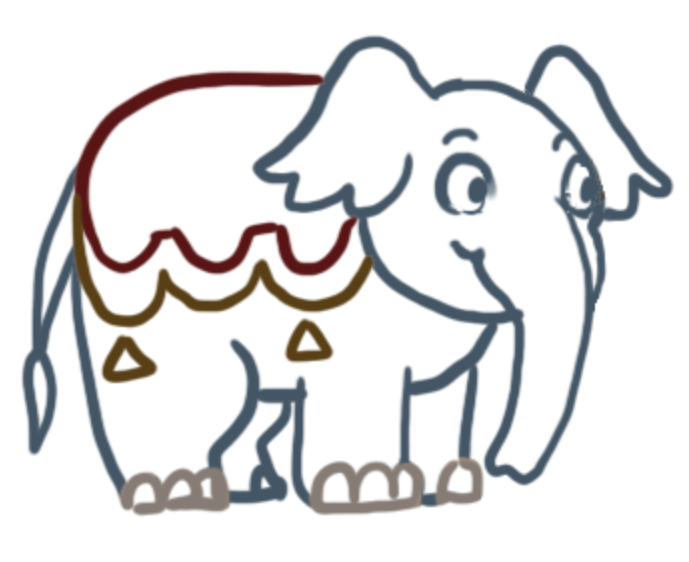
A baby elephant who is slow and heavy, can move large obstacles, and can vacuum up objects with his trunk, then chuck them across the level (this includes your co-op partner)
Dimensions
- Width: 2 tiles, Height: 2 tiles (Body)
- Width: 2 tiles, Height: 1 tile (Head/Trunk)
Mechanics
- Walk Left and Right (Slow)
- Activate floor buttons while standing on them
- Push crates
- Kick to smash crates
- Suck up objects with trunk (2 tile reach, sucked up objects are stuck to the end of the trunk, as opposed to getting swallowed by it)
- Aim Trunk (Dotted trajectory line to assist aiming before throwing objects)
- Launch objects with trunk (chuck object with enough velocity to travel 5 tiles upward before coming back down, this is less of a throwing motion and like shoving air out the trunk to blast the object away with a gravity gun style effect.)
Sprites
- Idle (4 frames)
- Walk cycle (4 frames)
- Kick (3 frames)
- Suck up objects with trunk (3 frames) [aiming with head/trunk is done programmatically]
- Launch objects with trunk (3 frames) [aiming with head/trunk is done programmatically]
- Falling (3 frames)
Dexter (Player Two)


A monkey (not an ape, a monkey) who is small agile, and dexterous. He can interact with small buttons / control panels, can climb ladders and monkey bars. And can be thrown by Chucky to gain access to far areas of the level.
Dimensions
- Width: 1 tile, Height: 1 tile
Mechanics
- Walk Left and Right (Fast)
- Jump (1 tile high)
- Climb Ladders
- Climb Monkey Bars (by jumping into them)
- Push control panel buttons
- Grab keys
- Use keys on locks (by pushing interact button on lock while holding a key)
- Shake coconuts from tops of trees (by pushing interact button at the top of the tree)
Sprites
- Idle (4 frames)
- Walk cycle (4 frames)
- Jump (3 frames)
- Climb ladder (4 frames)
- Climb monkey bars (4 frames)
- Push Control Panel Button (3 frames)
- Cowering (Stuck in Animal Control Officer’s net) (2 frames)
- Rolled up in a ball (ready to be launched by Chucky's trunk) (1 frame)
- Fly through the air (thrown by Chucky) (2 frames)
- Falling (3 frames)
Animal Control Officer (NPC)

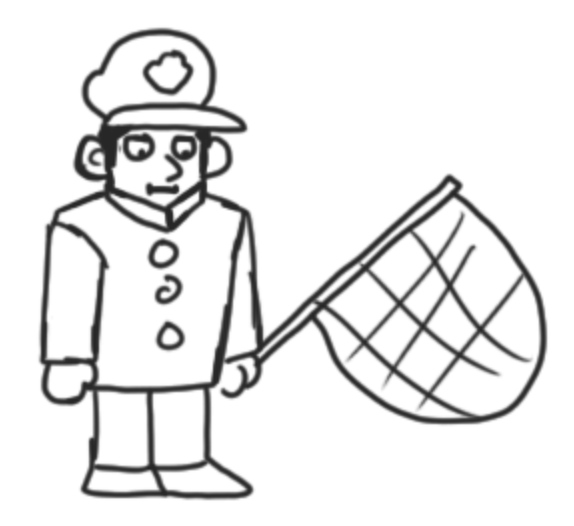
They aren’t present on every level. When they are present they patrol in predictable patterns and try to stop the animals from escaping.
Dimensions
- Width: 1 tile, Height: 2 tiles (Main - art takes up approximately 1.5 tiles in height)
- Width: 1 tile, Height: 2 tiles (Net - Net MUST fit over Dexter)
Mechanics
- AI walks back and forth in predetermined range
- Tries to chase Dexter and catch him in a net
- Runs away from Chucky
- Sometimes cary keys which can be sucked up by Chucky
Sprites
- Idle (4 frames)
- Walk cycle (4 frames)
- Swing net to catch Dexter (4 frames)
- Successfully pind down Dexter with net (3 frames)
- Running away from Chucky looking scared (4 frames)
Wooden Crates

Typical video game object, a crate. Sometimes found individually, or stacked. Sometimes they are helpful for climbing, sometimes they are in the way.
Dimensions
- Width: 1 tile, Height: 1 tile
Mechanics
- Can be pushed around by Chucky
- Can be smashed by Chucky (via the kick mechanic)
- Can be climbed on by Dexter
Sprites
- Regular
- Smashed into 3 pieces (1 sprite for each piece)
Coconut Tree

Spawns coconuts when Dexter shakes the top.
Dimensions
- Width: 1 tile, Height: 4 tiles (Tree Trunk)
- Width: 2 tiles, Height: 1 tile (Leaves)
Mechanics
- Dexter can land on top of the tree (if thrown by Chucky)
- Spawns coconuts when Dexter interacts with the top (he shakes it).
- Coconuts are unlimited, but only one can be out at a time
Sprites
- Tree Trunk (top of the tree includes a cluster of coconuts)
- Leaves (4 variants) [movement of the leaves is done programmatically]
Coconut

Once it has been shaken loose from its tree, it can be used for throwing at / activating wall buttons.
Dimensions
- Width: 1 tile, Height: 1 tile
Mechanics
- Chucky can suck up the coconut with his trunk
- Chucky can chuck the coconut at wall buttons to activate them
- Upon hitting a wall button the coconut will shatter.
- When a new coconut is shaken from the tree the previous coconut will shatter.
Sprites
- Regular
- Smashed into 2 pieces (1 sprite for each piece)
Elevator
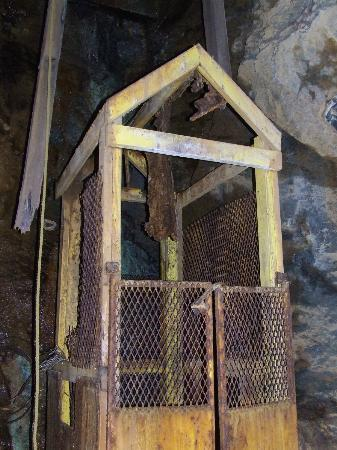
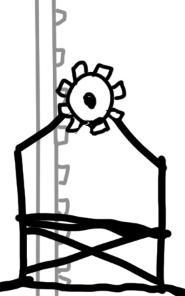
An outdoor elevator for lifting elephants. Bare bones / exposed design so you can see Chucky inside of it. Rail is visible behind it so players can tell how high it goes.
Dimensions
- Width: 2 tiles, Height: 3 tiles (Main)
- Width: 1 tile, Height: 1 tile (Gear)
- Width: 1 tile, Height: 1 tile (Rail in the background)
Mechanics
- Chucky can ride the elevator if Dexter activates it
- Activated via a button (the type of button is chosen by the level designer)
Sprites
- Main Elevator Cart
- Gear [rotation of the gear is done programmatically]
- Rail (with teeth that line up with the gear, can be tiled as high as the level designer needs)
Exit Door, Regular Doors (Gates), Trap Doors
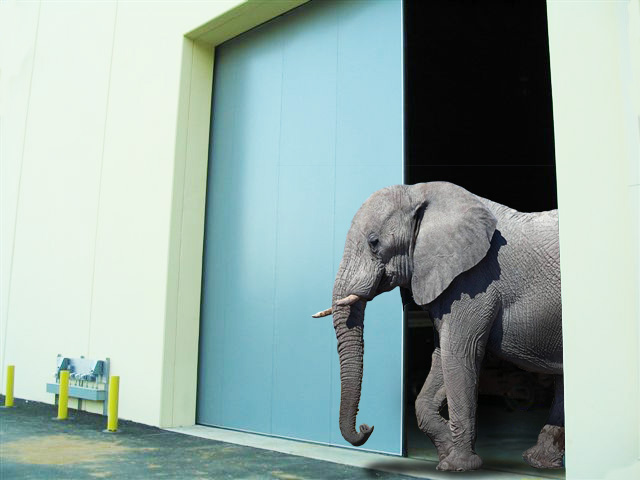
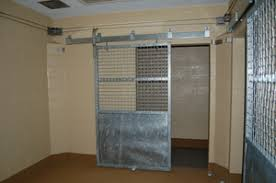
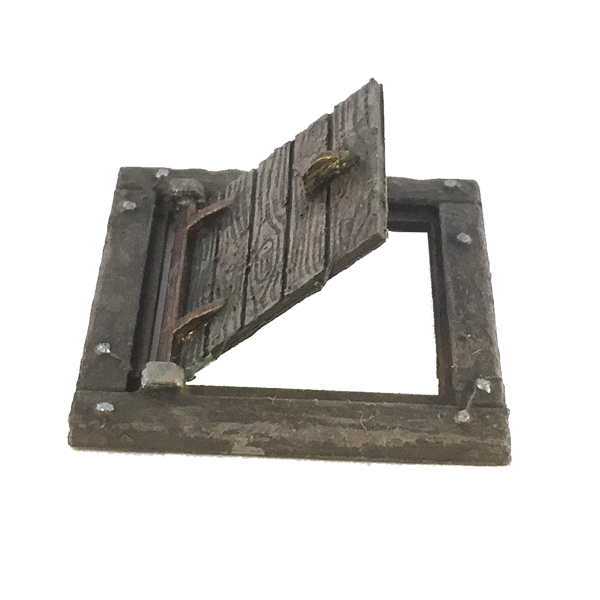
No puzzle game would be complete without arbitrarily locked doors! These doors have to be activated with a button OR unlocked with a key if they have a lock and chain on them. Mechanically they are all almost identical, both Chucky AND Dexter have to leave through the exit door to complete a level. Trap doors are on the floor and can only be accessed by Dexter.
Dimensions
- Width: 1 tile, Height: 3 tiles (Exit Door and Regular Door)
- Width: 1 tile, Height: 1 tile (Trap Door)
Mechanics
- Closed, can walk through it
- Each door is tied to a specific button (chosen by the level designer) that button opens the door when pushed.
- Some doors will be locked and required Dexter to use a key instead.
Sprites
Depending on how the art style develops, the doors could potentially be animated programmatically.
- Door Frame (One for regular, and one fabulous one for the exit)
- Door (One for regular, and one fabulous one for the exit)
- Door Frame (a different one for the trap door)
- Door (for the floor)
Buttons (Floor Button, Wall Button, Control Panel Button)
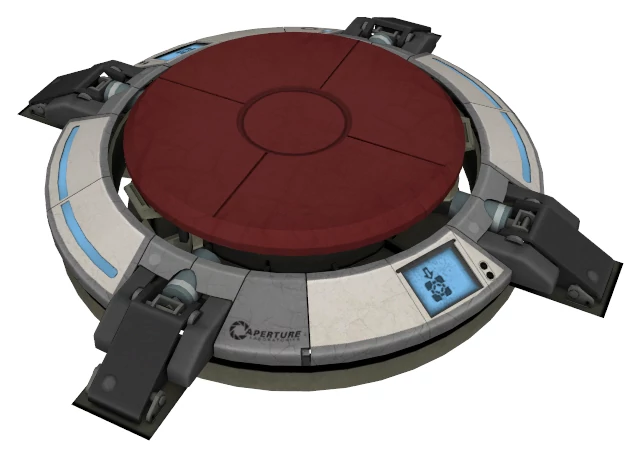
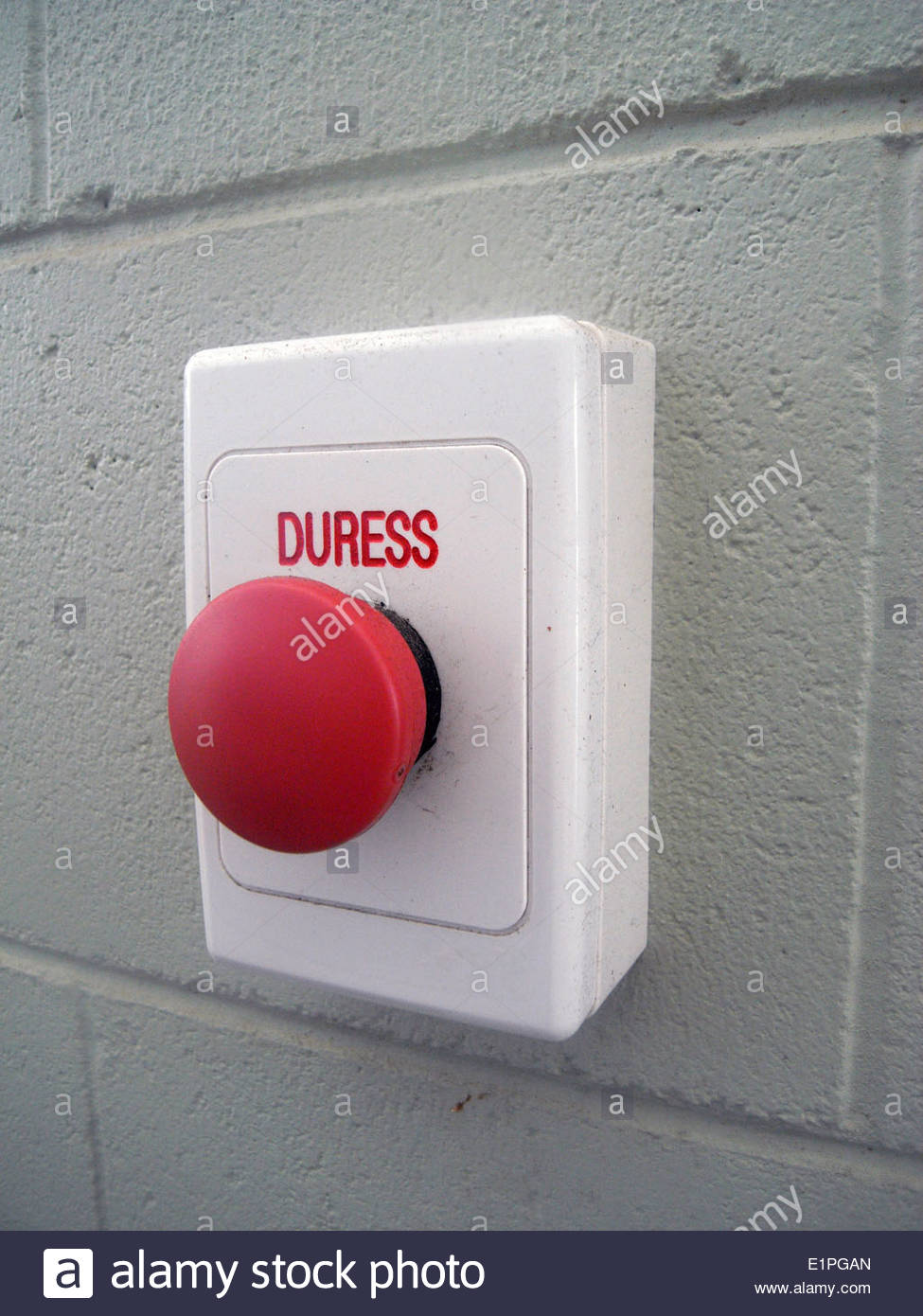
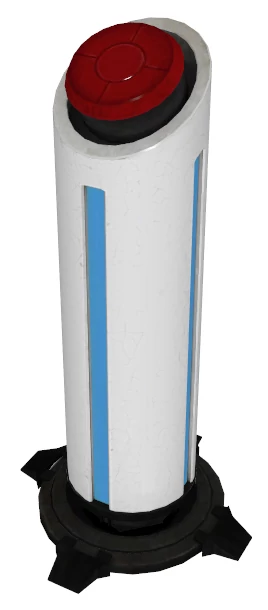
Who said we had to be original? Buttons open doors and activate elevators. Each button is paired up with a door (or elevator) by the level designer. Any type of button can be paired up with any type of door (or elevator). The difference is what it takes to activate each button. The Floor Button can only be activated by Chucky standing on it. The Wall Button can only be activated by Chucky hitting it with a coconut. And the Control Panel Button can only be pressed by Dexter.
Dimensions
- Width: 2 tiles, Height: 1 tile (Floor Button)
- Width: 1 tile, Height: 1 tile (Wall Button)
- Width: 1 tile, Height: 1 tile (Control Panel Button)
Mechanics
- Floor Button - only activated by Chucky standing on it (deactivates when he steps off).
- Wall Button - only activated by Chucky hitting it with a coconut. (toggles on/off when pressed)
- Control Panel Button - only pressable by Dexter. (toggles on/off when pressed)
- In Unity editor the script should let you specify the game object that the button activates (a specific door or elevator). This should be exposed in the inspector so that it can be easily set by the level designer for each button.
Sprites
- Heavy Floor Button (base layer + moveable button layer that lights up)
- Wall Button (base layer + moveable button layer that lights up)
- Control Panel (default + button pushed state (button is depressed and lights up)
Locks and Keys


Locks and keys are mostly self explanatory. The locks will be chained to the doors, so their art needs to be drawn with that in mind.
Dimensions
- Width: 1 tile, Height: 2 tiles (Lock) [the height is for the chain to cover the door]
- Width: 1 tile, Height: 1 tile (Key)
Mechanics
- This is an alternative to having a button to open a door.
- Chucky can suck up keys with his trunk
- Dexter can pick up a key
- Only Dexter can use a key
Sprites
- Lock and Chain for vertical doors (chain will cover the door)
- Lock and Chain for trap door (chain will cover the door)
- Key
Ladders and Monkey Bars

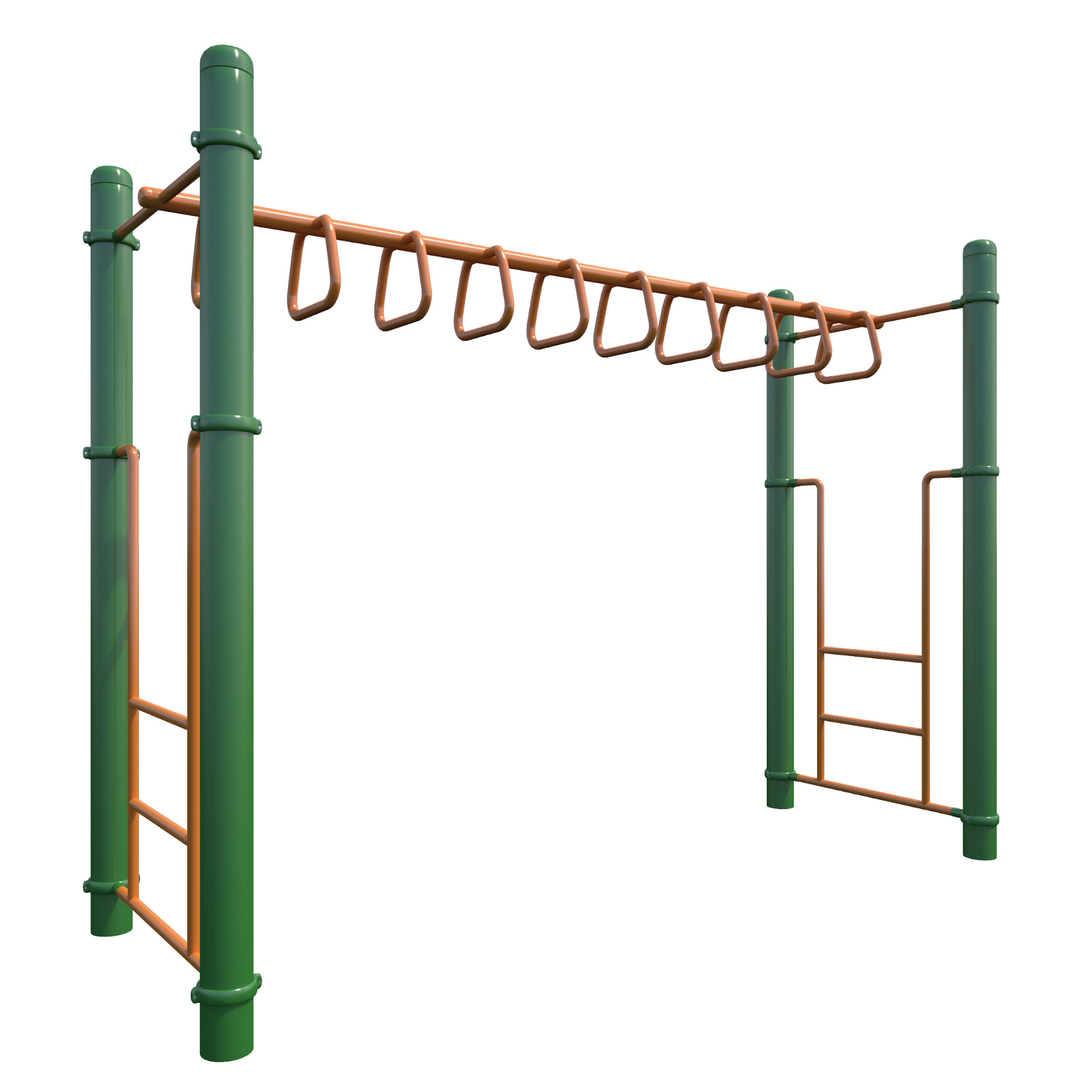
Ladders and monkey bars are almost the same, but monkey bars go horizontal. Only Dexter can use these.
Dimensions
- Width: 1 tile, Height: 1 tile (Lock) [the height is for the chain to cover the door]
- Width: 1 tile, Height: 1 tile (Key)
Mechanics
- Dexter can climb ladders (press up or down on the left thumbstick)
- Dexter can swing on monkey bars (Jump into them to automatically grab on, and use the left thumbstick to swing left and right)
- Press the jump button while climbing ladders / monkey bars to dismount
Sprites
Both of these tiles can be tiled to create as long of a ladder / monkey bars as needed
- 1 tile for the ladder
- 1 tile for the monkeybars
Background Art

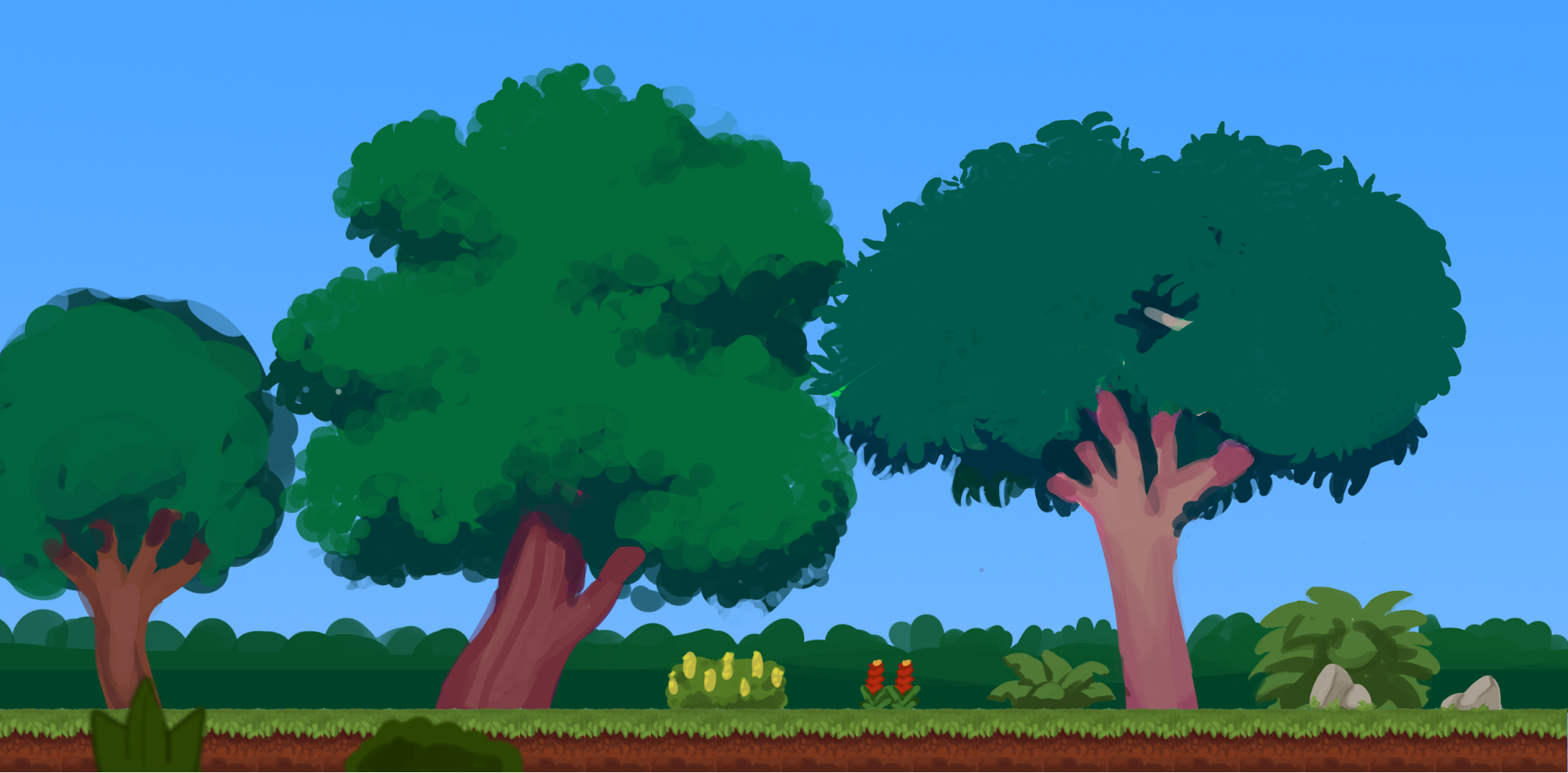
The background should be done in layers so that it has parallax (check out Ori and the Blind Forest, and Disney's MultiPlane Camera for inspiration) .
Paint Background elements at 3840 x 2160 pixels so they look nice on a 4K monitor
Farthest
- Sky color and clouds
Far Background
- Circus tents
- Fairgrounds attractions (Ferris Wheel, Roller Coaster, Signs and lights)
Background
- Forested area (trees, bushes)
Gameplay area (extra assets to be created on tiles sheets)
- Ferns
- Flowers
- Grass
- Tiny rocks
Foreground (on top of the game)
- Ferns
- Flowers